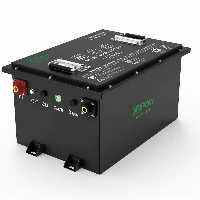
Do you want to test whether your golf cart battery is still functioning properly? You may have recently encountered these frustrating issues: a brand-new battery suddenly stops working while driving, inconsistent power output, or inaccurate range readings. It's time to give your battery a full "checkup."
This article provides a professional yet concise guide to the basic methods for inspecting golf cart batteries. In addition, we answer the most common questions that golf cart owners have had from 2023 to 2025. By the time you finish reading, even a beginner owner will be able to handle these checks on their own.

how to test golf cart batteries with a multimeter?
To test a golf cart battery with a multimeter, simply set the dial to DC 20V (or higher). About one hour after charging is complete, measure the voltage across each battery's positive and negative terminals to assess battery health based on voltage consistency.
Step-by-Step Testing Procedure
Preparation: Stop charging and let the battery sit for at least 1 hour to dissipate surface charge. Disconnect all loads (turn off the cart key).
Set up the multimeter: Turn the dial to the DC voltage (DCV or V⎓) mode. If the meter is not auto-ranging, select 20V for testing individual cells or 200V for testing the entire battery pack.
Measure individual batteries:
- Place the red probe on the battery positive terminal (+) and the black probe on the negative terminal (-).
- Reference values when fully charged: a 6V battery should read around 6.3V+, an 8V battery around 8.5V+, and a 12V battery around 12.7V+.
Measure total voltage: Measure across the first battery's positive terminal and the last battery's negative terminal in the pack. A fully charged 48V system should read approximately 51V.
Identify faulty cells: If any individual battery reads 0.5V or more lower than the others, it usually indicates that the battery is damaged or failing.
Advanced Test: Load Test
A normal static voltage does not necessarily mean the battery is in perfect health. You can perform a load test by attempting to drive the golf cart uphill while monitoring the multimeter readings:
- Lead-acid batteries: If the voltage drops by more than 2–3V during acceleration, it indicates that the battery's storage capacity has significantly declined.
- Lithium batteries: The voltage remains very stable. If the reading suddenly drops to 0V, it may mean the BMS has been triggered to protect the battery.
golf cart battery test chart
1. LiFePO4 Battery Voltage Reference Table
The discharge curve of LiFePO4 batteries is very flat, with voltage varying minimally between 20% and 90% state of charge.
| State of Charge (SOC) | Single Cell (3.2V) | 36V System | 48V System | Status Indicator |
|---|---|---|---|---|
| 100% | 3.60V – 3.65V | 43.8V | 58.4V | Fully Charged |
| 90% | 3.40V | 40.8V | 54.4V | Normal Operation |
| 50% | 3.25V | 39.0V | 52.0V | Medium Charge |
| 20% | 3.00V | 36.0V | 48.0V | Recommend Charging |
| 0% | 2.50V | 30.0V | 40.0V | Protection Shutdown |
2. Lead-Acid Battery Voltage Reference Table
The voltage of lead-acid batteries drops noticeably as the charge decreases. Before testing, make sure the battery has been resting for at least 1 hour.
| State of Charge (SOC) | 6V Battery | 8V Battery | 12V Battery | 36V System | 48V System |
|---|---|---|---|---|---|
| 100% | 6.37V | 8.49V | 12.73V | 38.2V | 50.9V |
| 75% | 6.25V | 8.33V | 12.50V | 37.5V | 50.0V |
| 50% | 6.12V | 8.16V | 12.24V | 36.7V | 49.0V |
| 25% | 5.98V | 7.97V | 11.96V | 35.9V | 47.8V |
| 0% | 5.75V | 7.67V | 11.51V | 34.5V | 46.0V |
3. How to Assess Battery Health Based on Voltage Tables?
Consistency Check: Measure each individual cell with a multimeter. If a single cell's voltage is lower than the others by 0.2V (lead-acid) or 0.1V (lithium), it usually indicates that the cell is damaged.
Total Voltage Assessment:
- 48V Lead-Acid System: Fully charged voltage should be above 50.9V. If it drops below 48V after sitting fully charged, the battery is significantly aged.
- 48V Lithium System: Fully charged voltage should be close to 54V–58V.
Load Drop: Observe the voltage while accelerating or climbing hills. For lead-acid batteries, if the voltage drops instantly by more than 3–5V, it indicates high internal resistance and that the battery's life is nearing its end.
how to check golf cart batteries with a hydrometer?
Checking golf cart batteries with a hydrometer is one of the most accurate ways to gauge battery health. It measures the specific gravity (concentration of sulfuric acid) of the electrolyte, which directly reflects the state of charge.
1. Preparation & Safety
Before you start, remember that battery acid is highly corrosive.
- Safety Gear: Wear safety goggles and rubber gloves.
- Clean the Battery: Wipe the top of the battery with a rag to prevent dirt or debris from falling into the cells.
- Full Charge: For the most accurate results, it is recommended to test the batteries after they are fully charged and have rested for a few hours.
2. Measurement Steps
- Remove Caps: Open the vent caps for each battery cell.
- Insert Hydrometer: Insert the rubber tube of the hydrometer into the liquid of the first cell.
- Draw Liquid: Squeeze the rubber bulb to draw enough electrolyte into the tube so the internal float (or pointer) floats freely.
- Note: Ensure the hydrometer is held vertically and the float is not touching the sides.
- Read the Value: With your eyes at eye level with the liquid, read the numerical value on the float scale.
- Return Liquid: Squeeze the electrolyte back into the same cell.
- Repeat: Repeat these steps for every single cell and record each value.
3. Interpreting the Data
Typically, readings will fall between 1.100 and 1.300. Use the following as a general guide:
| Battery State | Specific Gravity (S.G.) |
| 100% Charged | 1.265 - 1.280 |
| 75% Charged | 1.225 |
| 50% Charged | 1.190 |
| 25% Charged | 1.155 |
| Discharged/Failed | 1.120 or lower |
4. Analyzing the Results
- Consistency is Key: All cells should have very similar readings. If the difference between the highest and lowest reading is more than 0.050, one of the cells is likely failing, and the battery pack may need replacement or equalization.
- Temperature Compensation: Extreme heat or cold affects the readings. Standard readings are based on 27°C (80°F). If the temperature is very high, the reading will appear lower; if cold, it will appear higher.
If you have just added distilled water to your batteries, do not measure them immediately. The water and acid need to mix (usually through the bubbling action of a charging cycle). It's best to drive the cart or charge it once before testing after adding water.
Step-by-Step Guide to Testing Golf Cart Batteries
Here is the latest method for checking golf cart batteries in 2025.
What Tools You Need to Test Golf Cart Batteries?
Basic Tools
- Multimeter
- Carbon pile / Programmable DC load tester
- Basic safety kit: Anti-corrosion gloves, safety goggles
Lead-Acid Battery-Specific Test Tools
- Hydrometer with temperature correction
- Refractometer: An upgraded, safer alternative to hydrometers
- Terminal cleaning tools: Wire brush, baking soda solution
Lithium Battery-Specific Test Tools
- BMS diagnostic tool & Bluetooth reader
- Lithium battery-specific load tester
- Internal resistance tester
- Conductance tester
- Infrared thermometer
- Data logger
How to Properly Charge Your Batteries Before Testing?
- Before testing the capacity, performance, and lifespan of a golf cart battery, you should first charge it properly. Do not test the battery while it is still charging.
- Use a charger that matches your golf cart battery. Do not use just any charger, as the wrong one could damage the battery or even cause an accident.
- Charge the battery outdoors or in a spacious, well-ventilated area, keeping it away from flammable materials.
- Before charging, check the battery for any issues. If a lithium golf cart battery has cracks, bulges, or deformation on the casing, do not test it because it may be damaged. Similarly, if a lead-acid battery shows terminal corrosion or emits a strange smell, skip the test and consider upgrading to a lithium golf cart battery.
- After fully charging the battery, do not start testing immediately. It is recommended to wait until the battery returns to normal temperature because a freshly charged battery has a temporarily high voltage, which can cause significant deviations in the test results.
How to Perform a Simple Voltage Test on Golf Cart Batteries?
Checking the voltage of a golf cart battery is to determine whether it is still necessary to proceed with further testing.
- Disconnect the golf cart battery: make sure the cart is completely turned off so you can measure the most accurate resting voltage.
- Set up your multimeter: digital multimeters have many measurement modes-AC voltage, DC voltage, or current-but since we're testing a golf cart battery, it's simple. Just set the multimeter to DC voltage mode and choose a voltage range slightly higher than the battery's rating. For example, for a 12V battery, select the 20V range to ensure an accurate reading.
Testing Water Levels and Electrolyte Health in Lead-Acid Batteries
The key points for checking the water level and electrolyte of lead-acid batteries (flooded type only) are as follows.
1. Safety & Preparation
Applicable only to flooded (open-top/water-addable) lead-acid batteries; AGM/gel batteries are sealed-no water addition or density testing required.
Pre-operation: Turn off the golf cart, remove the key, disconnect the charger. Work in a well-ventilated area with acid-resistant gloves, safety goggles, and insulated tools.
Timing: Conduct inspections and refills only after full charging (electrolyte expands 10–15% during charging to prevent overflow).
2. Water Level Check (Critical for Sulfation Prevention)
Open all cell caps; visually inspect or use a glass tube to measure: Electrolyte level should be 10–15 mm (1/8–1/4 inch) above the plates, or between the "MIN" and "MAX" marks on the battery.
Abnormal conditions:
Level below plates → Refill immediately (exposed plates cause irreversible sulfation, reducing capacity by 20–40%).
Level too high → Siphon excess (prevents overflow and electrolyte dilution during charging).
Frequency: Every 4–6 weeks under normal use; every 2 weeks in high temperatures or with frequent deep discharges; mandatory after 10 charge-discharge cycles.
3. Electrolyte Density (Indicates SoC & Battery Health)
Tools: Temperature-compensated hydrometer or refractometer (accuracy ±0.005 g/cm³) to avoid false readings.
Measurement: Extract a small amount of electrolyte from each cell, record density and temperature. Standard full-charge density at 25°C: 1.265–1.285 g/cm³.
Temperature correction: Adjust density by ±0.0035 g/cm³ for every 10°C deviation from 25°C (e.g., 1.270 g/cm³ at 35°C = corrected 1.2665 g/cm³).
Consistency check: Density variation between cells should be ≤0.025 g/cm³; excessive differences indicate cell aging or internal short circuits.
4. Condition Assessment (Quick Screening)
| Density (25°C) | Status | Recommended Action |
|---|---|---|
| 1.265–1.285 | Fully charged, healthy | Regular maintenance as scheduled. |
| 1.225–1.260 | Partially charged | Perform equalization charge and retest. |
| <1.225 | Undercharged/dehydrated/aged | Refill with water, equalize charge; replace if density remains low. |
| >1.290 | Overcharged/severe dehydration | Refill with water, charge at limited voltage; inspect charger parameters. |
| Turbid/black/odorous | Plate shedding/damage | Replace immediately (irreparable). |
5. Water Refilling & Equalization (Recovery & Stabilization)
Refilling: Use only distilled or deionized water (ASTM D1193 Type IV); never add electrolyte or mineral water (minerals damage plates).
Operation: Refill each cell to the standard level (avoid overfilling); let stand for 30 minutes to ensure electrolyte mixing.
Equalization charge: After refilling, perform an equalization charge (2–4 hours of constant-voltage float charge per manufacturer's specs) to balance cell voltages and density, eliminating stratification.
Retest: Let the battery rest for 6–12 hours after equalization; recheck density and voltage to ensure consistency across cells.
Key Reminders
Low electrolyte level is the primary cause of premature lead-acid battery failure-prompt refilling and equalization are critical.
Always prioritize ventilation, insulated tools, and personal protective equipment during operation.
For sealed AGM/gel batteries: No water refilling allowed. Use a multimeter and load tester to diagnose voltage abnormalities or bulging; do not open the case.
How to Load-Test Your Golf Cart Batteries at Home?
I. Test Preparation
- Tools: Digital multimeter (accuracy ≥0.5%), carbon pile load tester (matched to battery voltage/CCA), acid-resistant gloves, safety goggles, insulated tools; hydrometer (for flooded lead-acid batteries).
- Safety: Turn off the cart, remove the key, disconnect the charger. Work in a well-ventilated area, clean terminal corrosion (with baking soda + water), and check for no leakage, bulging, or cracks.
- Battery Condition: Fully charge the battery and let it rest for 1–2 hours (12 hours recommended for lead-acid) to eliminate surface charge. For flooded lead-acid, top up with distilled water to the standard level and perform equalization charging.
- Connection: Testing individual cells is more accurate. Disconnect series-connected battery packs to avoid masking weak cells during whole-pack testing.
II. Test Steps
- No-Load Voltage Benchmark: Use a multimeter in DC voltage mode to measure the open-circuit voltage (OCV) of each cell/pack and record the baseline (e.g., 6V ≈ 6.3–6.4V, 12V ≈ 12.7–12.8V, 48V pack ≈ 50–52V).
- Apply Load:
- Load Tester: Apply a load of ~50% CCA or 3x the Ah rating for 15 seconds, following the manufacturer's instructions.
- Cart Substitute: Lift the rear wheels, press the accelerator to ~75% for 15 seconds to simulate uphill conditions.
- Voltage Monitoring: Real-time record the voltage of each cell during the load period and watch for sudden drops.
- Retest & Confirmation: Retest abnormal batteries after refilling/equalization. Replace if results remain unsatisfactory.
Result Evaluation:
| Battery Type | Acceptable Voltage Under Load | Unacceptable Signs |
|---|---|---|
| 6V Lead-Acid | ≥5.25V (15 seconds) | <5.0V, ≥40% capacity loss |
| 12V Lead-Acid | ≥9.6V (15 seconds) | <9.0V, replacement required |
| 48V Pack | Cell voltage difference ≤0.2V | Sudden voltage drop in individual cells or large differential, indicating weak cells |
How to Use a Hydrometer to Check Battery Specific Gravity?
I. Preparation
- Tools: Hydrometer (float-type), acid-resistant gloves + safety goggles, insulated tools, paper towels/rags, baking soda solution (for corrosion cleanup), thermometer (for calibration).
- Safety: Turn off the vehicle, remove the key, disconnect the charger. Work in a well-ventilated area; inspect for no leakage, bulging, or cracks, and ensure clean, corrosion-free terminals.
- Battery Condition: Fully charge the battery and let it rest for 1–2 hours (12 hours recommended for lead-acid) to eliminate surface charge. Do not add water before testing-measure specific gravity first, then refill if needed.
- Instrument Check: Ensure the hydrometer is clean, dry, and free of float jamming; check that the rubber bulb/siphon is intact.
II. Step-by-Step Operation
- Sample Extraction: Open the cell cap, insert the hydrometer siphon into the electrolyte, squeeze the bulb gently to draw fluid until the float rises freely (not touching the tube walls or top). Wait for the liquid level to stabilize before reading.
- Reading the Scale: Align your line of sight with the liquid surface; the scale mark where the float intersects the liquid is the measured specific gravity. Record the value and current temperature.
- Fluid Return: Slowly squeeze the bulb to return the electrolyte to the original cell (avoid contamination). Rinse the hydrometer 2–3 times with electrolyte from the next cell before testing to reduce cross-contamination errors.
- Temperature Calibration: Use 27°C (80°F) as the reference. Adjust the reading by ±0.004 for every ±6°C (±10°F) deviation. Example: Measured 1.250 at 27°C → 1.254 at 32°C (90°F) or 1.246 at 21°C (70°F).
- Test Each Cell: Repeat steps 1–4 for every cell in the series pack; record the calibrated specific gravity for each.
III. Result Interpretation
| Status | Calibrated Specific Gravity | Explanation |
|---|---|---|
| Fully Charged | 1.265–1.280 | Normal, safe for continued use. |
| Partially Charged | 1.225–1.260 | Recharge and retest. |
| Discharged | 1.150–1.220 | Deep discharge, potential sulfation. |
| Faulty | <1.150 or cell difference >0.05 | Severe aging/sulfation/cell failure-replace the battery. |
IV. Key Reminders
Not suitable for AGM/gel/lithium batteries-only for flooded lead-acid types.
Secure cell caps immediately after testing; wipe up spilled electrolyte to prevent corrosion.
If cell specific gravity varies significantly, perform equalization charging and retest. Replace the battery if discrepancies persist.
Prefer a temperature-compensated hydrometer to minimize manual calculation errors.
How to Identify Weak or Failing Batteries in a Battery Pack?
I. Visual & Safety Inspection (Mandatory Pre-Step)
- Check for bulging, leakage, cracks, deformation, terminal corrosion/oxidation, loose connections, discoloration, or unusual odors.
- Feel for local overheating (≥45°C) or temperature differences exceeding 5°C-abnormal heat typically indicates increased internal resistance or internal short circuits.
- For flooded lead-acid batteries: Inspect for swollen cell caps, turbid/black electrolyte, or sulfation crystals (hard white deposits) on plates.
- Discontinue use, isolate the battery, and handle it in a ventilated area immediately if any of the above issues are detected.
II. Voltage Testing (Quick Initial Screening)
- Static Voltage: After fully charging, let the pack rest for 1–2 hours (12 hours recommended for lead-acid). Measure each cell's open-circuit voltage (OCV). For new packs, allow a voltage difference ≤0.05V; for older packs, ≤0.1V (≤0.3V for lead-acid). Exceeding these thresholds indicates a weak cell.
- Dynamic Charging: During constant-current charging, if a cell reaches the upper voltage limit first (e.g., 4.2V for lithium-ion, 2.4V per cell for lead-acid) or its voltage rises slowly, it signals abnormal capacity or internal resistance.
- Dynamic Discharging: Under load (e.g., C/5 rate), a cell with a sudden voltage drop >0.2V or that hits the cut-off voltage first (2.5V for lithium-ion, 1.75V per cell for lead-acid) is a weak cell.
- Self-Discharge: After full charge and 24-hour rest, a cell with a voltage drop >0.05V (lithium) or >0.1V (lead-acid) indicates excessive self-discharge.
III. Internal Resistance Testing (Precise Judgment)
- Use an internal resistance meter to measure the DC resistance (DCR) of each cell, then compare it with factory/historical values.
- Judgment Criteria: A >50% increase from factory resistance, a >20% difference between cells in the same pack, or resistance exceeding thresholds (ternary lithium >50mΩ, LiFePO4 >100mΩ, lead-acid >5mΩ) indicates aging or failure.
- Sudden resistance spikes or significantly higher resistance in a single cell often result from active material shedding, tab loose connections, or internal short circuits.
IV. Capacity & Load Testing (Performance Verification)
- Capacity Test: Discharge the cell at a constant C/5 rate to the cut-off voltage, then calculate the actual capacity. A capacity <80% of the rated value indicates aging; a >10% difference from the pack average identifies a weak cell.
- Load Test: Discharge at a C/2 rate with a load tester and measure voltage drop. A cell with a drop >0.3V or that reaches cut-off first is weak.
- Lead-Acid-Specific: Use a hydrometer to measure electrolyte specific gravity per cell. A corrected difference >0.010 or a reading <1.220 indicates sulfation or failure.
V. BMS & Balancing Assistance (Smart Packs)
- Read BMS Data: Check cell voltages, internal resistance, temperature, and fault codes (overvoltage/undervoltage/overcurrent/high temperature).
- Balancing Effectiveness: If the voltage difference remains >0.1V after balancing, the weak cell is irreparable and requires replacement.
- Passive Balancing: Only effective for small voltage differences; active balancing is needed for large discrepancies-failure to balance confirms a weak cell.
Common Golf Cart Battery Testing Mistakes to Avoid
I. Mistakes in Testing Timing and Battery Condition
- Testing immediately after charging → Falsely high voltage. Allow the battery to rest for 12–24 hours after full charging, or drive lightly before testing.
- Testing with insufficient SOC → Prone to battery damage. Recharge to ≥80% first if SOC is below 50%.
- Skipping equalization or water refilling → Inaccurate data. Refill flooded lead-acid batteries with distilled water; perform equalization charging on smart packs beforehand.
II. Mistakes in Equipment and Parameters
- Using uncalibrated or inappropriate tools → Inaccurate measurements. Calibrate tools regularly; use a properly sized load tester and a temperature-compensated hydrometer.
- Poor terminal contact → Low voltage readings. Clean and tighten terminals for secure connection.
- Incorrect load settings → Failure to reflect true capacity due to improper current or duration. Apply a load of C/5 or 50–75% CCA for 15 seconds.
III. Mistakes in Testing Methods and Safety
- Testing only the entire pack without individual cells → Weak cells are masked. Test each cell separately.
- Ignoring temperature compensation → Significant reading deviations. Test in a 20–25℃ environment and correct for temperature effects.
- Lack of safety protection → Risk of acid burns or electric shock. Wear gloves and safety goggles; operate in a well-ventilated area.
IV. Mistakes in Interpretation and Maintenance
- Incorrect voltage or specific gravity interpretation → Judging as normal when thresholds are not met. Evaluate based on standard values.
- Neglecting internal resistance or BMS data → Relying solely on voltage is insufficient. Measure internal resistance and check BMS fault codes.
- Delaying replacement of weak cells → Weak cells degrade the entire pack and increase risks. Replace faulty cells promptly upon detection.
- Improper maintenance before storage → Battery damage due to inadequate SOC or unsuitable storage conditions. Charge to the specified SOC, disconnect the negative terminal, and store in an appropriate environment.
Signs That Your Golf Cart Batteries Are Beyond Recovery
I. Physical Damage (Irreparable)
- Bulging or deformed casing → Caused by overcharging (lead-acid) or malfunctions (lithium-ion); internal damage is irreversible.
- Leakage or seepage → Electrolyte leakage leads to short circuits, posing serious hazards.
- Cracked or damaged casing → Seal failure allows moisture/impurities to enter, resulting in complete performance collapse.
- Severely corroded or broken terminals → Unable to conduct electricity normally even after cleaning.
II. Abnormal Capacity & Voltage (Quantitative Indicators)
- Capacity below 40% of rated value → Remains low after equalization charging; repair is cost-ineffective.
- Abnormal individual cell voltage → Voltage deviation >0.2V after resting or significantly lower than the nominal value.
- Sharp increase in internal resistance → Indicates sulfation, softening, or short circuits of internal plates.
III. Poor Load Performance & Driving Experience
- Driving range reduced to less than 50%; power drops during acceleration or uphill climbing.
- Sudden voltage drop during load testing → >2V per lead-acid cell, >5V per lithium-ion cell.
- Sudden power cutoff or flickering while driving → Frequent BMS protection triggered by internal faults.
IV. Charging & Maintenance Failure
- Unable to fully charge or slow charging → Charger shows full but actual capacity is low.
- Charges quickly but drains immediately → Excessively high internal resistance due to advanced sulfation or plate shedding.
- Ineffective equalization → Persistent voltage imbalance after multiple equalization cycles.
- Abnormal heating during charging → Internal short circuits or plate short circuits.
V. Safety Hazards & End of Service Life
Exceeded service life → 3–5 years for lead-acid batteries, 8–10 years for lithium-ion batteries.
Unusual odor or overheating → Sulfuric acid smell (lead-acid) or excessive heat during charging/discharging, risking explosion.
BMS lockout or fault codes → Irreversible faults that cannot be cleared.
Recurring failure after repairs → Rapid performance degradation persists despite desulfation, equalization, or water refilling.
Quick Judgment Guidelines
- Check appearance first → Bulging, leakage, cracks, or broken terminals → Scrap immediately.
- Test voltage and internal resistance → Individual cell voltage deviation >0.2V or abnormal internal resistance → Scrap.
- Perform load test → Excessive voltage drop during 15-second C/5 load test → Scrap.
how to test 48v golf cart batteries?
To accurately test the condition of a 48-volt golf cart battery, the most effective method involves two steps. First, with the cart stationary, use a multimeter to measure the total voltage as well as the voltage of each individual battery. A fully charged pack should have a total voltage of 50 to 51 volts or higher.
Next, perform a load test. You can do this by pressing the accelerator uphill or connecting a dedicated load tester. While drawing power under load, monitor the voltage drop. If one battery's voltage falls significantly faster than the others, with a difference of 0.2 to 0.5 volts or more, it indicates that the battery is either aging or has failed completely.
how to test 6 volt golf cart batteries?
When testing a 6-volt golf cart battery, the first step is to measure the resting voltage with a multimeter while the cart is idle. A fully charged battery should read between 6.3 and 6.4 volts. Next, observe the voltage under actual load. For example, when the cart is climbing a hill or connected to a load tester, if a single battery drops below 4.8 volts, or if its voltage is more than 0.2 volts lower than the other batteries, it indicates that the battery has failed.
For flooded lead-acid batteries that allow water top-ups, there's an even more accurate method: use a hydrometer to measure the specific gravity of the electrolyte. If the difference in specific gravity between cells exceeds 0.050, it usually indicates an internal problem, and the battery should be replaced.
how to test 8 volt golf cart batteries?
When testing an 8-volt golf cart battery, start by measuring the voltage with a multimeter while the cart is off and idle. A fully charged battery should read between 8.44 and 8.64 volts.
Next, observe its performance under actual load. You can monitor the voltage while the cart is accelerating uphill or connected to a load tester. If a battery's voltage drops below 7 volts, or if it reads 0.2 volts lower than the other batteries, it indicates that the battery has aged or failed, dragging down the performance of the entire battery pack.
how to test a 12v golf trolley battery?
When checking a 12-volt golf cart battery, start by measuring the resting voltage with a multimeter while the cart is idle. A fully charged lead-acid battery should read at least 12.7 volts, while a lithium battery typically measures between 13.3 and 14.4 volts.
However, simply checking the resting voltage isn't enough-the key is how the battery performs under load. Observe the voltage while the cart is running or when connected to a load tester. If a lead-acid battery's voltage drops below 10 volts instantly, or a lithium battery triggers its built-in cutoff protection, it indicates the battery's performance has significantly degraded and it can no longer hold a charge effectively.
conclusion
Properly testing golf cart batteries is crucial for ensuring reliable vehicle performance, extending battery lifespan, and maintaining safe operation. By using scientific methods-such as correctly charging your golf cart battery, checking voltage and specific gravity, performing load tests, measuring internal resistance, and analyzing BMS data-you can accurately assess battery health, identify weak or faulty cells in time, and prevent overall pack performance from declining.
Avoiding common testing and maintenance mistakes helps prolong battery life, reduce maintenance costs, and maintain optimal power and range. Mastering how to test golf cart batteries enables owners and maintenance personnel to make informed decisions, ensuring smooth operation and preventing unexpected shutdowns.
If you want to keep your golf cart batteries in peak condition, you can consult our professional team, and we will respond to you promptly.
Faq
How to Distinguish Between Battery Failure and Controller/Motor Issues?
Test the battery first: Fully charge and load-test-if voltage drops sharply, capacity is low, or individual cells are imbalanced, it's a battery issue. For controller/motor problems: Batteries show normal voltage/load performance, but the cart has no power, jerks, overheats, or triggers error codes (e.g., no response when accelerating, motor humming without movement).
Why Golf Cart Battery Meters Are Often Unreliable?
Most rely on unloaded voltage (easily affected by surface charge) instead of actual capacity/SOC; poor calibration, loose terminal connections, or failure to account for cell imbalance (common in series packs) also cause inaccuracies. They don't reflect real-time load conditions, leading to false "full" or "empty" readings.
Why Most Handheld Battery Testers Don't Work Well on Golf Cart Packs?
Golf cart packs are high-voltage series combinations (e.g., 48V) with large Ah ratings, but most handheld testers are designed for small 12V automotive batteries (low current/CCA focus). They lack sufficient load capacity, can't test individual cells (masking weak cells), and fail to adapt to lead-acid/LiFePO4 chemistries or BMS interactions in cart packs.
How Much Can Undercharging a Lead-Acid Battery by 0.2V Reduce Its Lifespan?
For lead-acid batteries, long-term undercharging by as little as 0.2 V (for example, a 12-volt system that should be charged to 14.4 V but is consistently charged only to 14.2 V) may not seem like a significant difference.
However, over time, this accelerates the sulfation process, leading to a decline in battery capacity. In some cases, the battery's actual lifespan may be reduced by approximately 20%, and this effect is particularly pronounced when the battery is in a state of deep discharge or undergoes frequent partial charging.
This is because, if a lead-acid battery is unable to be fully charged over an extended period, the lead sulfate crystals inside gradually harden, making it difficult for the battery to recover.