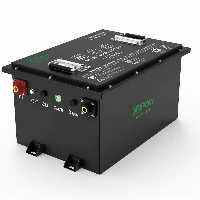
Have you ever experienced this situation? A newly purchased LiFePO4 battery suddenly shuts down, even though it still shows 40% remaining.
Many users immediately assume the battery is faulty or question its quality. However, in most cases, the issue is not caused by battery damage, but by inaccurate SOC estimation or a protection mechanism triggered by the Battery Management System.
In this article, we'll walk you through the key reasons behind SOC inaccuracies in LiFePO4 batteries, common BMS protection behaviors, how to properly calibrate the battery, and how to prevent these issues from recurring.
Whether you're an end user or a system integrator, this guide will help you better understand battery behavior and avoid unnecessary misjudgments and losses.

What Causes LiFePO4 Battery SOC Inaccuracy?
SOC drift in lithium iron phosphate (LiFePO4) batteries can result from a variety of factors. Common causes include limitations in SOC estimation algorithms, cumulative measurement errors over time, usage patterns and load conditions, cell imbalance, battery aging, temperature fluctuations, as well as issues related to the BMS or wiring.
Because each cause can lead to different symptoms and requires a different fix, the first step in troubleshooting is identifying which category your situation falls into.
SOC is an estimate rather than a direct measurement
In practice, SOC is not measured directly but estimated using algorithms. Common approaches include voltage-based estimation, coulomb counting (current integration), and model-based methods.
However, LiFePO4 batteries have a key characteristic: an extremely flat discharge voltage plateau. In other words, the voltage remains nearly constant across a wide SOC range. As a result, relying on voltage alone to estimate SOC inevitably leads to inaccuracies.
Coulombic efficiency leads to cumulative errors over time.
The coulomb counting method is generally more accurate than voltage-based estimation. However, each current measurement still introduces small errors. Over repeated charge–discharge cycles, these seemingly insignificant deviations accumulate, gradually causing the SOC to drift away from its true value-a phenomenon known as SOC drift.

Long-term shallow charge and discharge cycles without proper recalibration
In everyday battery use, we typically follow the "20%–80%" charging strategy, meaning we start charging at around 20% and stop at about 80%. While this approach helps extend overall battery lifespan, it can also introduce an often overlooked issue.
Operating within this range for long periods limits the BMS's ability to obtain proper calibration reference points. In practice, the BMS can only recalibrate SOC accurately when the battery is close to full charge or near empty.
Without these reference points, small measurement errors accumulate over repeated charge–discharge cycles, eventually leading to a noticeable deviation between the displayed SOC and the actual battery level.

Reduced measurement accuracy under low-current conditions
A BMS is not designed to be a high-precision battery fuel gauge, but primarily as a safety protection system. It focuses on monitoring critical parameters such as voltage, temperature, and current, while SOC is essentially an estimated value derived from algorithms.
This limitation becomes more apparent in certain operating scenarios. For example, when a LiFePO4 battery is used to power small devices such as mobile phones, the current typically ranges from 1A to 3A, and is often below 1A.
At such low current levels, the signal may approach or fall below the sensing resolution of some BMS systems, making it difficult to detect current changes accurately. As a result, SOC estimation errors increase, leading to reduced accuracy.

Cell imbalance (inconsistency between cells)
Cell inconsistency is also a key contributor to SOC deviation. A battery pack is made up of multiple cells, each with inherent variations in capacity, self-discharge rate, and internal resistance. Over time, these differences become more pronounced, causing some cells to reach their charge or discharge limits earlier than others.
When the BMS estimates SOC based on pack-level voltage or averaged conditions, these imbalances can introduce errors, resulting in a mismatch between the displayed SOC and the actual usable capacity.

Capacity degradation due to battery aging
As a battery ages, its usable capacity gradually fades. If the BMS continues to estimate remaining charge based on the original (nominal) capacity, systematic errors are introduced. This is why SOC readings tend to become less accurate over time in older batteries.
Temperature effects on battery performance
Temperature fluctuations are also a key factor affecting SOC accuracy. In winter, low temperatures slow down the electrochemical reactions inside LiFePO4 batteries and increase internal resistance.
Under these conditions, even when usable capacity remains, the discharge voltage may appear lower than under normal temperatures. As a result, when the BMS estimates SOC based on voltage, current, and algorithmic models, it becomes more prone to error, leading to a mismatch between the displayed SOC and the actual available capacity.
BMS algorithm or hardware-related issues
Issues within the BMS itself can be one of the main causes of SOC inaccuracy. As a critical and complex component, it is not recommended to disassemble or inspect the system without proper expertise.
In such cases, professional diagnosis is advised, with attention to factors such as BMS parameter configuration, firmware and SOC algorithm calibration, sensor accuracy, and the performance of the current sensing circuit. Any of these issues can directly affect SOC estimation accuracy.

Poor connections or external interference
Finally, SOC inaccuracies can also be caused by wiring issues. It is recommended to check the battery terminals for looseness, oxidation, or poor contact.
Such problems can affect the BMS's ability to accurately measure current and voltage, which in turn degrades the accuracy of SOC estimation.

How to Calibrate LiFePO4 Battery SOC?
Calibrating the SOC of a LiFePO4 battery does not restore lost capacity. Instead, it allows the BMS to recalibrate and accurately determine the battery's true full and empty states, as well as its usable capacity.
For most users, the most practical method is to perform several complete charge and discharge cycles.
In the following section, we'll walk you through the calibration process step by step.
Step 1: Fully charge the battery using a compatible LiFePO4 charger.
"Fully charged" does not simply mean reaching 100% on the app. It means allowing the charger to complete a full charging cycle. In practice, the battery voltage should reach its specified full-charge range while the charging current gradually tapers down to the cut-off current.
During this process, the BMS can accurately detect the battery's full state of charge and perform cell balancing, establishing a reliable reference point for subsequent SOC calibration.
For example, a nominal 24V LiFePO4 battery typically reaches a full-charge voltage of around 28.8V, not 24V.
Tip: Once the battery is fully charged, avoid immediately disconnecting the power or frequently adjusting settings. Instead, let the battery rest for a period of time so the cell voltages can settle and stabilize.
This helps the BMS establish a more stable and reliable full-charge reference, allowing it to more accurately recognize 100% SOC.
Step 2: Discharge the battery during normal use.
Simply use the battery as you normally would. However, for most users, we do not recommend fully discharging the battery frequently for calibration purposes. In most cases, it's sufficient to discharge the battery to around 20%–30% SOC before recharging.
Always follow the manufacturer's guidelines for proper use, charging, and discharging.
Step 3: Recharge the battery.
Once the battery has been discharged (for example, to around 20–30% SOC), use a compatible LiFePO4 charger to fully recharge it. During charging, avoid frequent power interruptions and do not use the battery at the same time.
This allows the BMS to accurately track capacity changes from low to full charge and recalibrate its internal coulomb counting calculations.
After 1–2 complete charge–discharge cycles, the SOC reading should return to normal. If minor inaccuracies remain, repeat the process for a few more cycles.
Important Monitoring Tips
If your battery is equipped with a Bluetooth app, you can monitor its status by checking key parameters such as total voltage, individual cell voltage, current, remaining capacity (Ah), SOC percentage, and the status of the charge/discharge MOSFETs.
The following signs may indicate that the BMS SOC reference point has shifted: for example, the app shows a very low SOC while the battery voltage remains within a normal range, or the SOC indicates sufficient charge, but the battery unexpectedly shuts down.
In such cases, it is recommended to recalibrate the battery.
For batteries connected in parallel, minor differences in SOC readings do not necessarily indicate a fault. As long as the voltages of each battery are similar, they will naturally rebalance over time during normal use.
In a parallel system, slight variations in charge and discharge rates can occur due to differences in cable resistance, internal resistance, and BMS measurement tolerances. This is normal.
However, if one battery shows a significantly higher or lower voltage than the others, it should be isolated and fully charged before being reconnected to the parallel system.
For series-connected systems, such as two 12V batteries used to form a 24V system, the requirements are more stringent. The batteries should be closely matched in voltage; otherwise, the weaker battery may reach the low-voltage cutoff first, causing the entire system to shut down prematurely and resulting in apparent capacity loss.
If a significant voltage difference is observed between batteries in a series configuration, disconnect them and charge each battery individually using a 12V LiFePO₄ charger. Once fully charged and balanced, reconnect them to restore the 24V system.
SOC calibration does not solve all issues. If the SOC remains significantly inaccurate after calibration, additional diagnostics may be required.
Key areas to check include BMS parameters, firmware version, current sensors, terminal connections, wiring harness contacts, cell consistency, and overall battery aging.
In some cases, professional assistance may be necessary.
Common BMS Issues in LiFePO4 Batteries
Many apparent BMS issues are actually caused by safety protection mechanisms being triggered, rather than an actual BMS fault.
BMS Low-Voltage Protection
Imagine a lithium iron phosphate battery that has been left unused for an extended period. Without periodic recharging, the battery will gradually self-discharge over time.
Once the voltage drops below the low-voltage cutoff threshold set by the BMS, the system will automatically disconnect the output to protect the battery. This is why your golf cart may suddenly stop working.
If you measure the battery with a multimeter at this point, you may find that the terminal voltage appears to be near zero, not because the battery is completely depleted, but because the BMS has cut off the output.
BMS Overvoltage Protection
When the charging voltage exceeds the specified range for LiFePO4 batteries, the BMS will automatically terminate charging to prevent overcharging.
This is usually caused by using an incompatible charger, for example, charging a LiFePO4 battery with a lead-acid charger.
BMS Overcurrent Protection
If the power cuts off immediately when a high-power device is connected, this is not due to insufficient battery capacity. Instead, it is likely that the current has exceeded the BMS's continuous or peak discharge limit.
For example, when a battery is connected to an inverter and a high-power device (such as an air conditioner, microwave, or power tool) is switched on, the inverter may draw a high surge (inrush) current during startup.
If this current exceeds the BMS's peak discharge rating, the BMS will immediately shut down the output to protect the battery.
Temperature Protection
Although LiFePO4 batteries offer a high level of safety, they are not designed to operate safely under all temperature conditions. In particular, charging at low temperatures can lead to lithium plating, so many BMS will limit charging or cut off the output to protect the battery.
Similarly, in high-temperature environments, the BMS may shut down the output to prevent overheating and associated safety risks.
Therefore, it is recommended to use the battery within a temperature range of 0°C to 45°C whenever possible. For specific charging, discharging, and storage limits, always refer to the manufacturer's technical specifications.
Short-Circuit Protection
Accidental shorting between the positive and negative terminals, damaged cables, loose connections, or incorrect wiring can trigger the BMS's short-circuit protection.
These conditions can be hazardous, and simply resetting the BMS is not enough. You should first inspect the wiring harness, fuses, terminals, connectors, and insulation to identify and eliminate the source of the fault.
Only after confirming that the short circuit has been resolved should you attempt to restore the battery using an appropriate charger.
Can BMS Issues Be Fixed Remotely?
Many users worry that if technical issues arise, especially those related to the BMS, they may not know how to handle them. This concern can be even greater when purchasing from overseas suppliers, where support may seem less accessible.
In such cases, working with an experienced lithium iron phosphate battery manufacturer like CoPow can make a significant difference. With a professional technical team, they can provide remote diagnostics and troubleshooting, and when necessary, offer on-site support based on project requirements.
So, what kinds of issues can actually be resolved remotely? Let's take a closer look.
Many issues-such as BMS parameter configuration, inaccurate SOC readings, app display anomalies, protection status logs, fault code retrieval, charge/discharge control settings, and communication errors-can typically be diagnosed and resolved through a Bluetooth app, CAN/RS485 interfaces, cloud platforms, or remote diagnostic tools.
In addition, manufacturers can remotely adjust parameters, reset protection states, or guide users through battery calibration procedures, significantly improving troubleshooting efficiency without requiring on-site service.
For example, if a user reports inaccurate SOC readings, technicians can remotely access BMS data such as cell voltage, total voltage, current, temperature, cycle count, protection logs, and remaining capacity.
If the issue is caused by BMS calculation errors, improper parameter settings, or SOC drift due to prolonged shallow cycling, it can typically be resolved by guiding the user through a full charge–discharge calibration process.
However, not all BMS issues can be resolved through remote support.
If the problem involves hardware damage-such as a blown MOSFET, disconnected sampling wires, faulty temperature or current sensors, water ingress into the BMS board, burnt terminals, severe cell voltage imbalance, internal short circuits, or loose connection plates-these issues cannot be resolved remotely.
Remote assistance can help identify the root cause, but the BMS will ultimately need to be returned to the factory for inspection, repair, or replacement.
How to Prevent Future SOC and BMS Problems?
These issues do not occur randomly; they are typically the result of long-term use and gradual degradation.
Although LiFePO4 batteries do not require frequent electrolyte maintenance or terminal cleaning like lead-acid batteries, proper care and maintenance are still essential for ensuring long-term performance and reliability.
- Following the 20%–80% usage rule helps extend battery life. However, it is recommended to occasionally perform a full charge–discharge cycle (discharging to a low level and then charging to 100%) to help calibrate the SOC.
- Always use the correct charger for each battery type. Do not mix chargers, as this may lead to overcharging, undercharging, or other issues.
- When using high-power devices, be mindful of peak (inrush) current during startup and ensure it remains within the battery's rated current limits.
- In cold environments, preheat the battery before charging. Do not charge the battery when its temperature is too low.
- If the battery will be stored for an extended period, charge it to an appropriate level before storage. During storage, check the charge level approximately once a month and ensure the SOC does not drop below 20%.
- Regularly inspect battery connections, including cables and terminals, to ensure there is no damage, looseness, or poor contact.
- During normal operation, periodically review BMS data and logs to identify potential issues early.
FAQ About LiFePO4 BMS and SOC Issues
Why is my LiFePO4 battery percentage wrong?
The state of charge of LiFePO4 batteries is an estimated value rather than a direct measurement.
Common causes of inaccuracy include prolonged shallow cycling, low-current operation, temperature fluctuations, and the long-term accumulation of errors in BMS algorithms. In addition, the relatively flat voltage plateau of LiFePO4 batteries limits the accuracy of voltage-based SOC estimation.
How often should I calibrate a LiFePO4 battery?
We recommend calibrating the device every 1–3 months.
Can the BMS update fix SOC errors?
Sometimes, yes. Updating the BMS firmware can optimize the SOC algorithm, thereby improving accuracy. However, if the issue stems from hardware (such as sensor errors), battery cell degradation, or usage habits, an update alone will not fully resolve the problem.
Is SOC inaccuracy dangerous?
This does not pose a direct safety risk, but it can affect operational decisions; for example, it may lead to sudden power outages, over-discharge, or errors in system capacity assessments.