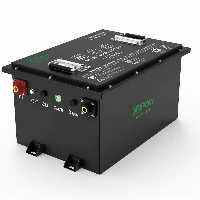
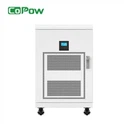
A lithium-ion forklift battery is a highly sophisticated piece of equipment. From a forklift battery manufacturer's perspective, we view it more as a system-a forklift battery driven by various small components. While it is easy to use, it is relatively complex, and any issues that arise must be resolved by professionals.
This article lists some technical issues we've encountered while working with customers, including problems related to voltage, temperature, and charging. For each issue, our battery R&D engineers have provided expert explanations and solutions.
These topics are quite technical, so if there's anything you don't understand, please feel free to contact us directly-we'll provide you with personalized support.
Now, let's take a closer look together.

* Since these are fairly technical issues, we will break them down by category for you below. The structure of this guide is as follows:
issue type, specific issue description, cause of the issue, and solution. Please don't be confused.
Note that a single issue may have multiple causes, which we will address one by one.
Voltage-Related Faults
Issues 1 : Abnormal Cell Voltage Difference: Causes and Solutions for Charging Cutoff and Power Loss
During the operation of a lithium-ion forklift battery, a voltage discrepancy may arise between a particular cell and the others, manifesting as an abnormally large dynamic or static voltage difference.
During charging, we may observe that the voltage of a specific cell quickly reaches the full-charge cutoff voltage limit, triggering the Battery Management System's overcharge protection mechanism and causing the charging process to stop before the battery is fully charged.
Alternatively, when we press the accelerator, the voltage of one or more cells may drop much faster than that of the other, normal cells; conversely, when we apply the brakes, the voltage of these problematic cells rises faster than that of the normal cells.
Simply put, this indicates cell inconsistency. We need to further determine whether the issue stems from the cells themselves or from other factors. Let's analyze this together.
Cause 1 of the malfunction: The connection between the battery cell busbar and the terminal post has become loose (loose bolts/nuts)
This refers to battery cells in a lithium-ion forklift battery pack not being properly connected in series. The battery cells in a lithium-ion forklift battery pack or assembly are connected via copper busbars, which are secured to the battery cell terminals to form a stable series circuit.
This is where the problem arises: when the connecting bolts or nuts become loose, the contact pressure between the copper busbar and the battery cell terminals decreases, reducing the contact area and thereby increasing the contact resistance at the connection point.
Under normal conditions, current flows through the copper busbars with virtually no loss, and voltage changes across cells in each string remain largely consistent. However, once a connection point becomes loose, during high-current operating conditions-such as when the forklift starts, accelerates, or performs regenerative braking-additional voltage loss occurs at that connection point, causing the voltage change of the corresponding cell to deviate significantly from that of the other cells in the string.
As mentioned earlier, during discharge, the voltage of this string drops faster than that of other cells due to increased connection impedance; conversely, during charging or regenerative braking, the voltage of this string may rise rapidly. This causes the Battery Management System to detect abnormal cell voltage, triggering measures such as premature termination of charging, reduced power output, or protective alarms.
Therefore, the problem does not lie with the forklift battery cells themselves, but rather at the connection points between the copper busbars and the terminals-such as loose bolts, oxidation of contact surfaces, contamination, ablation, or poor contact.
Solution: If such issues are detected, first inspect the connections between the battery cells inside the battery pack to verify whether there is any looseness, oxidation, burn damage, or abnormal contact between the copper busbars and the cell terminals.
If poor contact is caused by loose bolts or nuts, retighten the fasteners according to standard torque specifications to ensure sufficient contact pressure between the copper busbars and the cell terminals. If the contact surfaces have oxidation, dust, electrolyte residue, or other contaminants, clean the contact surfaces and, if necessary, replace damaged copper busbars or bolts.
After completing the connection repair, the battery pack must undergo charge-discharge testing to monitor voltage changes in each cell. The BMS's active and passive balancing functions can be used to resolve inconsistencies in cell parameters caused by prolonged connection issues.
If the connection points have developed serious problems, contact CoPow to replace the copper busbars, bolts, or even the entire forklift battery. We offer a wide range of replacement parts and can also customize brand-new lithium-ion forklift batteries according to your needs.

Cause 2 of the malfunction: After charging, if left for a period of time, the cells in a forklift battery may show low or high voltage, resulting in a voltage difference.
We have already provided a detailed analysis and overview of this issue in the article "BMS Shows Low Cell Voltage: Causes, Checks & Fixes" which you can view by clicking here.
The article points out that a low cell voltage does not necessarily indicate cell damage. The cause of the low voltage may be an issue with the data acquisition line-specifically, a problem with the Lithium Battery Monitoring Unit (LMU)-which causes the recorded voltage data to be higher or lower than the actual value. In addition, the article provides detailed instructions on how to diagnose and resolve the issue.

Temperature-Related Faults
Issues 1 : High Temperature Protection Caused by Forklift Battery Overheating
If a forklift battery feels very hot to the touch, this will immediately trigger the temperature protection feature of the battery management system during charging, causing the battery to stop charging.
More precisely, it is not the forklift battery itself that is generating heat, but rather one or more of the temperature sensors among the multiple temperature sensing points installed inside the battery that have detected abnormally high temperatures.
For example, during normal operation or charging, the temperature of most battery cells may remain between 30°C and 40°C, but the temperature at a specific location may suddenly rise to a preset alarm threshold (such as 45°C or 55°C, depending on the BMS parameters). In this case, the BMS system will determine that there is a risk of battery overheating, thereby triggering an alarm and limiting the charging current to halt the charging and discharging processes.
Cause 1 of the malfunction: Temperature Sensor Failure
The temperature sensors (NTCs) inside the battery pack monitor the temperature of the battery cells and modules in real time and transmit the data to the Battery Management System.
If a temperature sensor is damaged, a wire is broken, a connector is loose, or the sampling signal is abnormal, the BMS may receive incorrect temperature data, causing the system to incorrectly determine that the battery temperature is too high.
For example, if the actual battery temperature is only 30°C, but due to a sensor failure, the BMS displays a temperature of 60°C at a certain point, this will trigger the high-temperature protection function.
Solution: If a temperature sensor is suspected of malfunctioning, first use an external temperature measurement device (such as an infrared thermometer or thermocouple) to measure the actual temperature inside the battery pack and compare it with the temperature data displayed by the Battery Management System.
If the actual temperature is significantly lower than the temperature displayed by the BMS (for example, the actual temperature is 30°C, while the BMS displays 60°C), this indicates that there may be an issue with the temperature sensing system.
Next, inspect the temperature sensor itself, its resistance value, and the connecting wiring. Since lithium-ion battery packs typically use NTC temperature sensors, their resistance values change with temperature.
Therefore, use a multimeter to measure the NTC resistance and determine whether the sensor is functioning properly based on the corresponding temperature curve. If the measured value does not match the standard resistance value, this indicates that the temperature sensor is damaged and must be replaced with a new NTC sensor.
If the sensor is functioning properly, proceed to inspect the temperature sensing harness and connectors to check for issues such as broken wires, loose connections, loose pins, oxidation, or poor contact. Wiring problems can also cause the BMS to receive erroneous signals; for example, if there is an open circuit in the signal path, the BMS may display an extremely high temperature. After repairing the wiring or reseating the connectors, power the system back on to verify whether the BMS temperature display has returned to normal.
If both the temperature sensor and wiring are confirmed to be in good condition but the BMS still displays abnormal temperatures, there may be a fault in the BMS's internal temperature sensing channel. In this case, the LMU (Local Monitoring Unit) must be calibrated or replaced entirely.
The final troubleshooting process can be summarized as follows: Verify the actual temperature → Test the temperature sensor → Inspect the sampling wiring harness → Calibrate the LMU → Replace the faulty component.

Cause 2 of the malfunction: LMU Failure Causes Abnormal Temperature Readings
LMU not only collects cell voltage data but also collects cell temperature data. If a problem occurs, just as incorrect voltage data might be recorded, incorrect temperature data might also be recorded.
Solution: The method is actually the same as for testing voltage. First, use external specialized equipment to check for abnormal temperatures, then compare the measured temperatures with the issues displayed by the BMS. The rest of the process is the same as the testing procedure mentioned earlier.
Cause 3 of the malfunction: The battery cell is not properly connected.
As we mentioned earlier, improper connection of battery cells can lead to increased resistance. Increased resistance not only causes voltage fluctuations but also results in a rise in temperature.
You'll notice that whenever you drive a forklift uphill or perform operations that involve high-current discharge, the battery heats up, triggering the BMS's overheating protection feature and causing the forklift to suddenly shut down.
Solution: First of all, stop operating the forklift. Start by inspecting the connections of each cell in the battery pack: Are any bolts loose? Are there any issues with the connections? Is there any dirt or debris? Are the copper busbars deformed? Even check for signs of burning.
Address any problems you find with targeted repairs: tighten loose bolts, wipe away dirt, and replace deformed or burnt-out copper busbars. In short, make sure all connections are secure.

Cause 4 of the malfunction: Overcharging
Both lead-acid and lithium-ion batteries can overheat due to overcharging. However, lithium-ion batteries often do not overheat because they are protected by a Battery Management System and specialized lithium-ion battery chargers.
Chargers have fixed output voltage limits. For example, the fully charged voltage of a LiFePO4 cell is 3.65V, and the fully charged voltage of a 16-cell battery pack (51.2V) is 58.4V. Therefore, chargers are typically set to a voltage value close to the cut-off voltage. Once the set voltage is reached, the charger stops outputting power or enters a constant-voltage phase, thereby preventing overheating caused by overcharging.
Heat generation in lithium-ion batteries is generally caused by issues with the BMS, such as the temperature sensor failure and LMU failure we mentioned earlier.
In addition, there is a new type of failure: the failure of the BMS's balancing function, combined with capacity degradation in one or more cells, leading to a rapid rise in voltage during charging and premature overcharging. This is still a result of cell inconsistency.
Solution: Please use a professional lithium-ion forklift battery charger and regularly check the operational status of the battery management system. If you discover any issues, please report them to the battery manufacturer promptly.
Cause 5 of the malfunction: The heat dissipation system was not properly designed.
It is not acceptable for the internal space of a forklift battery to be too cramped. When manufacturing lithium-ion forklift batteries, we always reserve space for heat dissipation, install fans, and strategically position the exhaust vents.
Charging-Related Faults
Issues 1 : Charging Start Failure & SOC Calibration Error
The forklift battery cannot be charged, and the remaining charge cannot be calibrated correctly after a full charge.
Cause 1 of the malfunction: Various issues with forklift batteries trigger the charging protection mechanisms of the battery management system.
For example, if the internal resistance of a particular cell increases, its voltage will rise much faster than that of other cells during charging, directly triggering the BMS's overvoltage protection threshold. Since the BMS will interpret continued charging as potentially damaging to the cell, it will immediately terminate the charging process.
Abnormal temperatures can also prevent charging from starting. For example, when charging in a low-temperature environment, LFP cells may be at risk of lithium plating. If the temperature falls below 0 degrees Celsius, the BMS will prohibit charging to prevent battery damage.
Solution: Use the BMS's active and passive balancing functions regularly to restore consistency in parameters such as capacity, impedance, and discharge rate among the battery cells.
Before charging in low-temperature environments, we recommend equipping your lithium-ion forklift with a preheating module in advance so that the battery can be automatically heated in low-temperature conditions, thereby ensuring normal charging and discharging.
Cause 2 of the malfunction: BMU Malfunction (Charging Module or Charging CAN Anomaly)
The BMU (Battery Management Unit) is primarily responsible for managing the battery's status and exchanging information with the charger.
The charging process for forklift lithium-ion batteries does not simply involve plugging in the charging gun and immediately supplying current; instead, it requires communication and confirmation between the charger and the BMU.
During charging, the charger uses CAN communication to obtain the battery's current status, including battery voltage, allowable charging current, charging demand, and whether charging is permitted.
If the internal charging control module of the BMU malfunctions, or if there is an issue with the CAN communication line (such as an open circuit, short circuit, poor contact, or communication protocol error), the charger will be unable to receive the correct charging instructions, preventing the charging process from starting.
This fault typically manifests as follows: both battery voltage and temperature are normal, but the charger does not respond after the charging gun is inserted, or charging stops shortly after it begins.
Solution: First, use the BMS host computer or diagnostic software to read the battery fault information and confirm whether the BMU has issued any alarms, such as charging inhibit, CAN communication errors, or charging module malfunctions.
If the BMU does not output the correct charging enable signal, the charger will not start even if the battery voltage and temperature are normal.
Second, inspect the charging communication lines, focusing on the CAN communication lines between the BMU and the charger (including CAN_H and CAN_L), to check for issues such as open circuits, short circuits, or poor connections.
If the CAN lines are faulty, the charger will be unable to obtain the battery's charging demand information, preventing the charging process from starting. In this case, it may be necessary to verify that the CAN communication parameters match, such as whether the baud rate, communication protocol, and message format are consistent.
In some instances, even if the hardware is undamaged, mismatched software versions or communication protocols between the charger and the BMU may prevent them from recognizing each other properly.
If CAN communication is confirmed to be normal, further inspection of the BMU's internal charging control module is required, including the charging relay control, power supply circuit, and charging enable signal output.
If damage to the BMU's internal control circuit is found, preventing it from sending a charging enable command to the charger, the BMU must be repaired or replaced.
After completing the repair, reconnect the charger and conduct testing. First, observe whether CAN communication messages are normal and confirm that the charger can read information such as battery voltage, SOC, and allowable charging current. Second, check whether the voltage and temperature changes of each cell during the charging process are normal.
The entire repair process is as follows: Check fault codes → Check BMU power supply → Check CAN wiring and communication → Check communication protocol → Check BMU charging control function → Replace the BMU if necessary.
Cause 3 of the malfunction: A problem has occurred with the charging relay.
The charging relay is a critical switch that connects the battery to the charger and is used to control the closing and opening of the charging circuit. When the battery management system detects that the battery is in normal condition and permits charging, it causes the charging relay to close, allowing the current from the charger to flow into the battery.
If the charging relay malfunctions (e.g., a damaged coil, burned-out contacts, or mechanical sticking), the charging current cannot flow into the battery even if the charger is operating normally.
Solution: First, the BMS must check whether the charging relay has received a command to close. Under normal circumstances, when the charging gun is inserted, if the BMS detects that parameters such as battery voltage, temperature, and insulation status are normal, it will control the charging relay to energize, thereby closing the charging circuit. If the BMS has sent a closing command but the relay has not actuated, possible causes include a damaged relay coil, a power supply issue, or a fault in the relay itself. Next, check the supply voltage to the charging relay's coil.
Use a multimeter to measure the voltage across the relay coil to confirm whether the BMS is outputting the control voltage normally. If there is no voltage, further inspect the BMS output terminals, control circuits, and related fuses; if the voltage is normal but the relay still does not engage, this indicates that the relay coil is damaged, and a new charging relay must be installed; if the relay engages normally, further check whether the relay contacts are conducting.
In some relays subjected to high-current charging over extended periods, the contacts may become faulty. Although you may hear the "click" sound when the relay engages, the actual charging current cannot flow through, resulting in abnormal charger displays or failure to start. In this case, use a multimeter to measure the resistance of the main circuit after the relay is closed. If the resistance is too high or the circuit is not conducting, the relay must be replaced.
Cause 4 of the malfunction: Abnormal CC Ground Resistance, Abnormal CV Ground Voltage
Abnormal CC voltage to ground and CV voltage to ground. The CC and CV signals are primarily used to detect the charging interface status and confirm charging communication.
In a forklift lithium-ion battery system, the charger must not only connect to the positive and negative power lines but also use control signals to determine whether the charging gun is properly connected, whether the battery is in a chargeable state, and whether the charging process is proceeding normally.
If the resistance of the CC circuit to ground is abnormal, it may be caused by a broken circuit, poor contact, contamination inside the plug, or a damaged connector, preventing the charger from accurately determining the charging connection status.
If the CV signal voltage is abnormal, it may be caused by a communication line failure, an abnormal output from the Battery Management System, or an internal interface issue. In this case, the charger will be unable to meet the charging conditions and will therefore refuse to start.
Solution: First, we need to inspect the charging gun and the battery charging port to confirm that the charging gun is fully inserted and that the pins inside the port are not loose, oxidized, burned, or experiencing poor contact.
If there are water stains, oil residue, dust, or other foreign objects at the port, this can cause a change in the resistance of the CC signal, preventing the charger from correctly identifying the battery's status. Therefore, the port must be cleaned, and damaged connectors must be replaced if necessary.
Second, we need to inspect the CC and CV signal harnesses. Use a multimeter to measure the resistance of the CC circuit to ground to confirm that it meets the battery system's design specifications.
If the resistance is abnormal, further inspection is required to check for open circuits, short circuits, poor contact, or damage to the harness.
For example, frequent insertion and removal of the charging gun may cause internal signal wires to become loose; vibrations during forklift operation may also lead to loose connections inside the connector.
If the CV voltage is abnormal, check whether the voltage signals at both ends of the charging interface are normal and confirm that the Battery Management System is correctly outputting the charging enable signal.
If the BMS is not sending the correct control signals or if CAN communication is abnormal, this may also cause abnormal CV status. Further review of the BMS fault logs and charging communication data is required.
If on-site conditions permit, try reinserting and removing the charging gun to allow the charger and BMS to re-establish communication, as sometimes the issue is simply due to the plug not being fully locked or poor contact at the signal terminals, which can be resolved by reconnecting.
If all of the above checks are normal but charging is still not possible, it is recommended to use a CAN analysis tool to capture charging messages and examine the communication status between the charger and the BMS to determine whether the BMS is actively rejecting the charge or the charger has stopped charging because it cannot detect the CC/CV signal.
Updates in progress...........
Conclusion
It's not hard to see that the issues with forklift batteries go far beyond superficial concerns like range, capacity, and service life. This is a highly sophisticated system, and a problem with even a single detail can render the forklift inoperable. Moreover, these issues are highly technical, and ordinary users simply cannot handle them on their own.
This places extremely high demands on after-sales service-it's essential to find an experienced forklift battery manufacturer. Only they can promptly identify the root of the problem. Furthermore, replacement parts are hard to find on the open market; generally, only specialized manufacturers can provide replacement parts.
In short, technical issues require professionals to resolve them. When purchasing forklift batteries, it's essential to consider not only the battery itself but also whether after-sales service is guaranteed.
We at CoPow are a forklift battery manufacturer with 16 years of production experience. We currently specialize in supplying lithium iron phosphate (LiFePO₄) forklift batteries, offering not only high-end customization services but also reliable after-sales support. If you encounter any issues during use, please feel free to contact us directly. We will arrange for a battery specialist to provide inspection and repair services within 24 hours.
If you are currently facing a difficult problem, please contact us as well-we will provide you with a free inspection service.