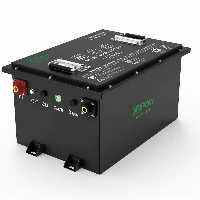
When you check the battery status via the Bluetooth app, you notice that the voltage of one of the cells is significantly lower than that of the others.
For example, while the voltage of most cells remains around 3.27 V, one cell's voltage is only 2.65 V. At the same time, your golf cart or boat lacks power when accelerating, and your forklift or energy storage system suddenly runs out of power.
You might assume there is a connection-that a specific cell has failed and needs to be replaced. However, in reality, a low cell voltage does not necessarily mean the cell is defective.
This article will provide a detailed explanation of what "BMS displays Low Cell Voltage" means, its common causes, inspection methods, solutions, and how to prevent similar issues from occurring. This will help you more accurately diagnose low-voltage faults in lithium-ion batteries and avoid unnecessary repair costs.

What Does It Mean When BMS Shows Low Cell Voltage?
When you notice that the voltage of a particular cell is too low on your mobile app, don't jump to the conclusion that "this cell is defective." In addition to internal battery issues (such as inconsistent cell capacity, prolonged deep discharge, cell aging, increased internal resistance, and abnormal self-discharge), there are two other situations that can cause abnormal cell voltage: problems with the BMS data acquisition lines and excessively low temperatures.
When the BMS displays "Low Cell Voltage," it is actually alerting the user that a weak cell with performance issues has appeared within the battery pack, and the cause of the anomaly needs to be further investigated.
Lithium-ion battery packs are typically composed of multiple cells connected in series. For example, a 48V LiFePO4 battery usually consists of 16 series-connected 3.2V cells (16S), with a total voltage of approximately 51.2V. Under normal conditions, the voltage of each cell should remain within a similar range.
For example:
Cell 1: 3.278 V
Cell 2: 3.281 V
Cell 3: 3.276 V
Cell 4: 3.280 V
The voltage differences between these cells are very small, indicating good consistency.
However, if the following conditions occur:
Cell 1: 2.653 V
Cell 2: 3.265 V
Cell 3: 3.283 V
This indicates a problem with the first cell in the string, because the output capacity of a series battery pack is determined by the cell with the lowest voltage.
Even if the other cells still have sufficient charge, the entire battery pack may trigger BMS protection due to this weak cell.
You may have encountered similar situations: an electric vehicle suddenly stalling while driving, a golf cart suddenly unable to accelerate, a forklift suddenly stopping after working for a while, or an RV or energy storage system suddenly running out of power.

Common Causes of Low Cell Voltage in Lithium Batteries - Detailed Description
Next, let's take a closer look at the causes of low voltage in a single cell string as indicated by the lithium-ion battery BMS:
1. BMS Voltage Sampling Issues
Sometimes, when the BMS displays a low voltage, it does not necessarily mean that the battery cells are actually in a low-voltage state; this may be due to a problem with the BMS data acquisition system.
The BMS connects to each cell node via sensing wires and reads the voltage of each cell string. If the sensing wires are loose or damaged, the BMS will read incorrect data.
For example, if the actual cell voltage is 3.28V, but due to a problem with the sensing wires, the BMS ultimately displays a voltage of only 2.60V. Therefore, it is necessary to use a multimeter to measure the actual cell voltage in order to reach an accurate conclusion.
2. Low-Temperature Effects
For lithium-ion batteries, operation at low temperatures has always been a challenging issue.
Under low-temperature conditions, the rate of chemical reactions inside the battery cells slows down, ion mobility decreases, and internal resistance increases, leading to a drop in voltage.
This issue becomes more pronounced when the battery is discharging at high currents and may trigger the low-voltage protection feature of the Battery Management System. This situation is relatively common in electric vehicles in cold regions, cold storage forklifts, outdoor energy storage systems, and marine applications during winter.
However, some lithium-ion batteries currently on the market, such as CoPow's LiFePO4 batteries, can be equipped with automatic heating systems that allow them to charge and discharge normally even at -20°C.
3. Poor Cell Consistency
Cell consistency refers to the uniformity of cells in terms of capacity, internal resistance, charge curves, discharge curves, and self-discharge rates.
If a lithium-ion battery uses Grade B or lower-quality cells, a cell voltage as low as 2.653V would be considered acceptable. In severe cases, the cells may fail completely.
Therefore, we cannot stress enough that when purchasing lithium iron phosphate batteries, you must confirm the source of the cells with the supplier and review their test reports.
CoPow uses brand-new, high-quality lithium iron phosphate cells from leading cell manufacturers, ensuring battery performance right from the source.
4. Battery Cell Aging or Damage
As usage time and the number of charge-discharge cycles increase, lithium-ion battery cells gradually age, leading to a decline in their internal chemical performance, which manifests as a decrease in capacity and an increase in internal resistance.
When the battery discharges, aged cells cannot maintain a stable output like normal cells, and there is a high probability that voltage drop will occur.
5. Deep Discharge
As we've mentioned in other articles, lithium-ion batteries have an actual usable capacity that is more than 30% higher than that of lead-acid batteries and can tolerate a depth of discharge (DoD) of 90%. While this is not a problem, many users still drain the battery completely.
Lithium-ion batteries should not be over-discharged. Prolonged over-discharging may damage one or more cells.
Since the cells in a battery pack cannot be perfectly identical, the best we can do is maintain consistency as much as possible. Consequently, the cell with the lowest capacity will be depleted first; as discharge continues, its voltage will drop rapidly, while the voltages of the other cells remain at a higher level.
6. Cell Imbalance
Please note that we are referring to cell imbalance, not cell inconsistency.
Here, we'd like to introduce a concept: voltage difference. For example, the highest cell voltage is 3.35V, and the lowest is 2.80V.
Cell imbalance is typically caused by the accumulation of long-term cycling. If cell consistency is already poor to begin with, and you strictly adhere to the 20/80 or 90 charge-discharge principle without performing full charge-discharge cycles from 0% to 100%, the cells may gradually become unbalanced.
This situation typically occurs in lithium-ion batteries without an equalization function. Today's lithium-ion batteries are usually equipped with a smart battery management system capable of actively or passively equalizing the cells.
How To Check A Low Voltage Cell?
The standard inspection procedure is as follows. You can try it yourself first. If you find it difficult or too technical, please contact us, and our R&D engineers will be happy to assist you.
1. Check the Battery Management System Voltage Data
First, use the Bluetooth app to check the real-time voltage status of all battery cells to determine which group of cells is exhibiting an anomaly. Next, observe the voltage difference between the cells.
If the voltage difference is only a few tens of millivolts, it is within the normal range; if the voltage difference reaches several hundred millivolts or more, it indicates that the cells have developed a problem.
2. Inspect the BMS data acquisition cables
To verify that the BMS data acquisition cables are functioning properly, check whether the connectors are loose, whether the terminals have good contact, whether the wiring harnesses are damaged, and whether the solder joints are secure.
3. Use a multimeter to measure the actual cell voltage
If the data acquisition cables are functioning properly, the next step is to use a multimeter to directly measure the actual voltage of the corresponding cell to determine the source of the problem.
If the BMS displays a voltage of 2.65V, but the multimeter reading is 3.28V, this indicates that the cell is functioning normally and the problem lies with the BMS; further inspection of the data acquisition cables is required.
4. Check the Recovery of the Cell After Charging
If you confirm that a particular cell is indeed in a low-voltage state, you can try recharging that cell separately and then observe its recovery.
If the voltage remains largely consistent after recharging-with a voltage difference of less than 50 mV (0.05 V)-and does not drop significantly again during normal use, this may indicate that the cell itself is not defective, but rather that a temporary imbalance has occurred.
5. Check the Battery Voltage Differences
After confirming that a cell is indeed in a low-voltage state, do not rush to stop work; it is best to continue checking the voltage distribution across the entire battery pack to see if any other cells are also experiencing problems.
6. Checking Battery Performance Under Load
For some lithium-ion batteries, the individual cell voltages displayed in the app are normal when the battery is at rest. However, when attempting to discharge the battery-especially when powering high-power devices-many issues become apparent.
When idle, the voltage of all cells is around 3.3V. However, once a golf cart, boat, or forklift is powered, the voltage of a particular cell may drop to 2.8V, indicating that the cell's internal resistance has increased and it cannot handle high-current output.
How To Fix A Low Voltage Battery Cell?
After inspection, we found that it is not necessarily necessary to replace the battery cells. We already know that low-voltage issues with battery cells can be resolved through recharging, equalization charging and discharging, and fixing problems with BMS data collection.
The specific procedures are as follows:
1. Repair or replace the BMS sampling wires
If the problem is indeed with the sampling wires, you can choose to repair or replace them, then re-read the BMS data to confirm that all cell voltages have returned to normal.
If you are a professional, you can unplug and reinsert the sampling connectors, tighten the screw terminals, solder any loose joints, and secure the wiring harness. If you notice that the terminal surfaces have turned black or have green copper corrosion, clean the terminals with an electronic cleaner and then dry them with a lint-free cloth. If the terminals are damaged, they must be replaced with new ones.
When you choose CoPow LiFePO4 batteries, CoPow can promptly replace any faulty components for you, and we maintain a full inventory of replacement parts. Whether it's the terminals or any other component, we will replace it with a new one if a problem arises.
2. Recharge the low-voltage cell.
You can use an adjustable DC regulated power supply to recharge the low-voltage cell at a low current, in an attempt to restore the cell voltage to the normal range and reduce the voltage difference. If, after recharging, the cell's voltage remains stable during discharge, you can continue using it and monitor it for a while.
3. Perform battery balancing
Try using the BMS's active balancing feature, or perform a full charge-discharge cycle to restore the cell voltage.
4. Replace Damaged Cells
If none of the above methods work and the cells are still at a low voltage, we recommend replacing them with new ones.
Although this can be a hassle, lithium-ion batteries function as a single unit; when replacing cells, you must use cells from the same batch, brand, and consistency-mixing different types is not allowed.
This issue must be addressed before purchasing the battery, so it is crucial to choose a reliable LiFePo4 battery manufacturer.
How To Prevent Low Cell Voltage Problems?
Finally, for batteries where this issue has not yet been detected, we also recommend that you take the following preventive measures so that you won't be caught off guard if a problem arises.
1. Use high-quality battery cells with good consistency
Before purchasing lithium-ion batteries, you should thoroughly verify the source of the battery cells and request that the supplier provide consistency data for the cells, including internal resistance test reports, capacity test reports, and capacity-sorting and cell-matching data.
2. Avoid Deep Discharge
This mainly refers to taking care not to let the battery over-discharge during long-term storage. Before storage, charge the battery to about 50%; there is no need to fully charge it.
For lithium iron phosphate (LiFePO4) batteries, simply check the charge level once a month to ensure it does not fall below 10%. Some owners of golf carts and fishing boats often overlook this during the winter.
3. Use the Correct Charger
Never mix lead-acid battery chargers with lithium-ion battery chargers. Using a lead-acid battery charger to charge a lithium-ion battery can not only cause internal problems with the battery but may also directly damage the entire battery pack.
4. Maintain Proper Battery Balancing
Periodically perform a full charge-discharge cycle-from 0% to 100%-on lithium-ion batteries that do not have a balancing function. If your BMS has active and passive balancing capabilities, you can also balance the battery manually.
CoPow's lithium iron phosphate batteries are equipped with a smart battery management system and feature both passive and active cell balancing capabilities.
5. Before using a battery in a cold environment, you should first allow it to return to room temperature.
Many lithium-ion batteries lack a preheating function, which is unacceptable to users in cold regions. CoPow can install a sensitive automatic heating system for you that automatically controls the temperature without requiring manual operation, saving you both time and effort.
Conclusion
When the BMS displays "Low Cell Voltage," it does not necessarily mean that the cell is damaged. Possible causes of low voltage in a single cell string include abnormal BMS data acquisition, poor cell consistency, cell aging, prolonged deep discharge, cell imbalance, and the effects of low-temperature environments.
The proper course of action is to first verify the accuracy of the BMS data, then determine whether the issue is caused by a BMS malfunction, cell imbalance, or a decline in the cell's performance by inspecting the data acquisition circuitry, measuring the actual cell voltage, and observing the recovery after recharging.
For lithium-ion battery systems designed for long-term stable operation, high-consistency cells, a reliable BMS, and proper charging and discharging practices are all essential. Proactively checking cell health, avoiding over-discharge, and selecting a reliable battery supplier can effectively reduce the likelihood of "Low Cell Voltage" issues and extend the battery's service life.
CoPow is a professional LiFePo4 battery manufacturer. If you have any further questions, please feel free to contact us at any time.