The charger must be fully matched to the 48v golf cart battery type and system specifications.
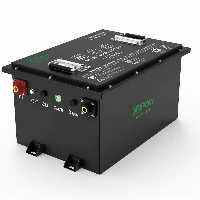
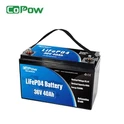
Common 48-volt golf cart batteries include lead-acid batteries and lithium iron phosphate batteries.
These two types differ significantly in rated charging voltage, current requirements, and charging profiles (multi-stage charging versus constant-current/constant-voltage).
Using an incompatible charger may result in incomplete charging or inaccurate state-of-charge readings, and in more serious cases, can cause overcharging, overheating, or a shortened overall battery lifespan.
In practical use:
- Before charging, check that the battery pack voltage is within a normal range, all wiring connections are secure, and the charging port is clean and free of corrosion.
- During charging, monitor battery temperature, charger operating status, and charge progress, and disconnect the power immediately if any abnormal condition occurs.
- After charging is complete, avoid prolonged float charging, and perform basic maintenance or battery balancing on a regular basis.
By following these clear and practical steps, you can safely and efficiently charge 48-volt golf cart batteries, extending battery life and ensuring stable, reliable vehicle performance.

Step-by-Step Guide to Charging a 48 Volt Golf Cart Battery
One person can fully charge a 48-volt golf cart battery independently. The key is to select a compatible charger and follow standard operating procedures. No complex tools are required, and even beginners can handle it with ease.
Pre-Charging Preparation
Park and power off the cart
Park the golf cart in a well-ventilated, cool area away from open flames. Turn off the cart's power switch and engage the parking brake to prevent rolling.
1. Verify charger compatibility
Check only two key details on the charger's nameplate:
- Voltage: Must be 48 volts. Never use a 36-volt or 12-volt charger, as it will fail to fully charge the battery and may cause damage.
- Battery type: The charger must be labeled either for lead-acid batteries only or lithium-ion batteries only, matching the type of your cart's battery. You can find the battery type in the cart manual or directly on the battery casing label.
2. Clean battery terminals (optional but recommended)
Wipe the positive and negative metal terminals of the battery with a dry cloth. If white or green corrosion powder appears on the terminals, clean it off with a damp cloth dipped in a small amount of baking soda water, then dry thoroughly with a clean cloth to prevent poor electrical contact.
3. Inspect battery condition
- Lead-acid batteries: Check the casing for cracks or leaks. If the battery feels icy cold, let it warm up indoors until it no longer feels cold to the touch before charging.
- Lithium-ion batteries: There is no need to check for internal liquid. Charging is safe as long as the casing is not swollen.
Step-by-Step Charging Process (No Assistance Required)
1. Plug in the charger first
Insert the charger's plug into a household three-prong grounded socket to avoid electric leakage. The charger indicator light will typically turn red or green, indicating it is in standby mode.
2. Connect to the battery terminals
Locate the charger's two output clamps or plugs. Red is for positive, black is for negative. Attach them firmly to the corresponding battery terminals. Do not apply excessive force to avoid loosening the terminals.
✅ Critical Tip: If you reverse the polarity, the charger will not work or will display a fault light. Simply swap the clamps and it will be fine. No damage will occur to the equipment.
3. Start charging and wait
Charging will start automatically once connected, and the indicator light will usually turn red, meaning charging is in progress.
- Lead-acid batteries: Let the red light stay on for 8–12 hours. When it turns green, continue charging for an extra 1–2 hours. This is a float charge to protect the battery. You don't need to monitor it during the process.
- Lithium-ion batteries: Let the red light stay on for 4–6 hours. Disconnect the charger as soon as the light turns green. Lithium batteries do not require float charging.
4. End charging safely
After the light turns green, first remove the clamps from the battery terminals, then unplug the charger from the wall socket. This prevents electric sparks.
Essential Safety Notes for Single-Person Operation
- The entire charging process can be completed independently by one person. There is no need to move the battery or measure voltage. You can judge the charging progress solely by the charger indicator light.
- Do not stay near the battery for extended periods during charging. In particular, lead-acid batteries release a small amount of hydrogen gas when charging. Keeping the environment well-ventilated ensures safety.
- Never charge the 48v golf cart battery outdoors in rainy weather, and do not place the charger in a humid environment.
- For batteries that are not used frequently, charge them fully once a month. For batteries in regular use, charge them within 24 hours after each use to extend battery service life.
how long to charge 48v golf cart?
The time it takes to fully charge a 48-volt golf cart largely depends on the type of battery used. For lead-acid batteries, charging is relatively slow, usually taking 8 to 12 hours to reach a full charge.
In contrast, LiFePO4 batteries are much more efficient; even when the charge is nearly depleted, they typically take only 2 to 5 hours to fully recharge.
This difference in charging speed means that lithium-powered golf carts can recover their energy much faster between rounds, without having to wait half a day like with lead-acid batteries.
48 volt golf cart battery voltage chart
| State of Charge (SoC) | Lithium (LiFePO4) Voltage | Lead-Acid Voltage | Usage Recommendation |
| 100% | 54.4V - 58.4V | 50.9V - 51.2V | Fully charged; peak performance. |
| 90% | 53.3V | 50.4V | Normal operation. |
| 70% | 52.8V | 49.6V | Stable power output. |
| 50% | 52.2V | 48.4V | Charge Lead-Acid at this point. |
| 30% | 51.2V | 47.5V | Power output begins to weaken. |
| 20% | 50.4V | 46.8V | Charge Lithium at this point. |
| 10% | 48.0V | 46.0V | Deep discharge; stop immediately. |
| 0% | 40.0V | 42.0V | Cut-off point to prevent damage. |
Key Differences and Reading Tips
- Voltage Plateau: Lithium batteries have a very flat discharge curve, meaning the voltage changes very little between 20% and 90%. If you see the voltage dropping rapidly, you are near empty.
- "Surface" Charge & Sag: Voltage will drop temporarily under load (acceleration) and stay high immediately after charging. For an accurate reading, measure the battery after it has been resting for at least 30 minutes.
- Charging Cut-off: A 48V Lithium charger typically reaches 58.4V, while Lead-Acid chargers may reach 56V–60V during the equalization phase.
- Note: Many modern lithium packs labeled as "48V" are actually 51.2V nominal. Their readings will be slightly higher than the chart above. If your battery has a Smart BMS, using a Bluetooth App to check the SoC percentage is much more accurate than relying on a voltmeter.
how to charge 48 volt golf cart batteries with 12 volt charger?
Directly using a 12V charger cannot charge an entire 48V golf cart battery pack in one go because the voltage is insufficient. However, you can achieve this in the following two ways:
1. Charge Each Battery Individually (Most Recommended Method)
Most 48V golf carts are made up of four 12V batteries or six 8V batteries connected in series.
- If it's four 12V batteries: You can use a 12V charger and connect it to the positive and negative terminals of each battery individually to charge them one by one.
- If it's six 8V batteries: A 12V charger has too high a voltage and is not recommended for charging 8V batteries directly, as this may damage the batteries.
- Key operating points: There is no need to disconnect the battery cables. Just make sure the charger's positive and negative clamps are correctly connected to the terminals of a single battery. Once each battery is fully charged, the entire 48V system will be restored.
2. Use a Boost Converter (DC-DC Boost Converter)
If you want to charge a 48V battery pack using a 12V power source (such as a car battery), you will need a 12V-to-48V boost charging module.
- This type of device can step the 12V voltage up to around 54V, which is the full-charge voltage for a 48V battery.
- Drawbacks:
- Lower efficiency, slower charging speed, and it requires some knowledge of electronic circuits to connect and use safely.
⚠️ Important Safety Reminders
Do not charge in series: Never attempt to connect a 12V charger directly to the main positive and negative terminals of a 48V battery pack. It will not work at all.
Battery balancing: Charging batteries one by one can result in uneven charge levels between batteries. After using this as an emergency solution, it is strongly recommended to use a dedicated 48V charger as soon as possible to perform a full balance charge.
Check battery voltage: Before starting, confirm the voltage of each individual battery (usually marked on the battery case, such as 6V, 8V, or 12V).
how do you test a 48 volt golf cart charger?
Testing a 48V golf cart charger mainly involves three key steps: visual inspection, confirming the battery voltage, and measuring the output with a multimeter. If your charger is not working, the most common reason is often not a faulty charger, but battery voltage that is too low for the charger to detect and activate.
1. Basic Checks (Eliminate Simple Issues)
- Power connection: Make sure the outlet has power and that the charging plug fits tightly into the golf cart's charging port, with no burn marks or signs of overheating.
- Indicator lights and sounds: Check whether the indicator lights are flashing (refer to the manual for error codes), and listen for transformer humming or cooling fan noise.
- Fuses: Inspect the fuse inside the charger or near the golf cart's charging port to see if it is blown.
2. Test the Battery Pack's "Minimum Voltage" (Critical Step)
Most smart 48V chargers require the battery pack to have at least 30–35V of residual voltage before they will start charging.
- How to test: Use a multimeter to measure the total voltage across the main positive and negative terminals of the battery pack.
- Diagnosis: If the reading is below 30V, the charger may not start at all. In this case, you will need to first "top up" each battery individually using a 12V charger (as explained earlier) until the total voltage rises to an acceptable level.
3. Test the Charger Output with a Multimeter
You can measure the voltage directly at the charger plug, but it's important to distinguish between different types of chargers:
Non-smart (traditional) chargers: Even when not connected to the cart, the plug may show a constant output voltage above 48V.
Smart chargers: These only output current after being connected to the cart and detecting the battery pack. For this type of charger, you need to measure during the charging process:
- Set the multimeter to the DC voltage range.
- Place the probes on the main positive and negative terminals of the battery pack (or measure from the back of the charging receptacle).
- Normal readings: After charging starts, the voltage should slowly rise from around 48V to somewhere between 50V and 60V. If the voltage does not increase at all, it indicates that the charger is not actually working.
4. Troubleshooting Reference Table
| Symptom | Possible Cause |
|---|---|
| No response at all (no lights / no sound) | No power supply, blown fuse, or damaged internal capacitors |
| Trips or shuts off immediately after plugging in | Battery pack voltage too low, short circuit, or charging cable polarity reversed |
| Never fully charges (does not stop automatically) | Faulty charger control circuit or severely aged batteries |
| Charger makes loud buzzing or humming noise | Aging internal transformer or failed capacitors |
related article
Top 5 Best Golf Cart Battery Chargers in 2025
How Long Does It Take To Charge Golf Cart Batteries?
How to Charge 6-Volt Golf Cart Batteries Properly?
Core Charging Steps
- Pre-charge Inspection: Ensure terminals are tight and corrosion-free. Check electrolyte levels to ensure plates are covered, but do not fill to the top before charging (to prevent overflow as the liquid expands from heat).
- Voltage Matching: You must use a charger that matches the total voltage of your battery bank. For example, a 36V charger for six 6V batteries in series, or a 48V charger for eight batteries.
- Three-Stage Charging: An ideal charger should utilize Bulk (constant current), Absorption (constant voltage), and Float stages to ensure a full charge while preventing overcharging.
- Prompt Recharging: Recharge immediately after every use. Avoid leaving batteries in a deep-discharge state (below 50%) for extended periods, as this causes irreversible sulfation.
Maintenance Checklist
| Task | Recommendation | Frequency |
| Watering | Add distilled water only after a full charge to the level line | 1-2 times per month |
| Cleaning | Clean terminals with a baking soda solution to prevent leaks | As needed |
| Equalizing | Perform a controlled overcharge to balance cell voltages | Once a quarter |
How to Charge Club Car Golf Cart Batteries?
Charging a Club Car golf cart is relatively straightforward, as most models are equipped with intelligent charging systems (such as the legacy onboard computer/OBC or modern smart chargers).
1. Charging Procedure
- Plug in After Every Use: It is recommended to plug in the charger after every use, even for short trips. Lead-acid batteries do not have a "memory effect," and maintaining a high state of charge extends their lifespan.
- Ensure Proper Connection: Insert the charging plug into the cart's receptacle until you hear a "click" or see the charger's indicator light activate. Most Club Cars feature a safety interlock that prevents the cart from driving while charging; this is normal.
- Automatic Shut-off: Modern chargers automatically detect voltage and stop once full. Even when the charger indicates "Complete," it is often best to leave it connected so it can enter Float Mode to counteract self-discharge.
2. Core Maintenance Standards
- Charge Before Watering: Never add water before charging (unless the plates are completely exposed). The correct procedure is to charge fully first, then add distilled water to the proper level to prevent electrolyte overflow caused by heat expansion during charging.
- Clean Terminals: Regularly inspect battery connections. If you see white powder (acid corrosion), clean it with a baking soda solution and apply a terminal protectant spray.
- Ventilation: Charging releases small amounts of hydrogen gas. Always charge in an open garage or a well-ventilated shed; never in a completely sealed space.
3. Troubleshooting Common Issues
| Symptom | Potential Cause | Recommendation |
| Charger won't start | Voltage too low | If batteries are completely dead, the charger may not recognize them. You may need a manual charger to "wake" them up. |
| Abnormal smell/heat | Water loss or cell damage | Disconnect immediately. Check for bulging battery casings or extremely low fluid levels. |
| Dash light flashing | Charging fault code | Check the yellow light near the charging port; the flash pattern corresponds to specific faults in the manual. |