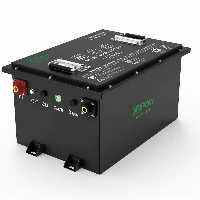
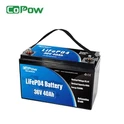
In the field of golf cart battery maintenance, Copow has thoroughly researched mainstream professional articles and practical tutorial videos currently available, and further integrated years of frontline hands-on experience from our team. We're proud to present the most practical and straightforward full-cycle battery maintenance guide for 2025.
Step-by-Step Guide to Performing Daily Maintenance on Golf Cart Batteries
The key to daily maintenance of a golf cart battery lies in five areas: preventing plate sulfation, controlling electrolyte levels, cleaning corrosion, maintaining stable charging, and checking battery connections.
Performing these checks and maintenance on a daily, weekly, and monthly schedule can significantly extend battery life, ensure more stable range, and reduce the risk of malfunctions.

I. Daily Must-Dos (5 Minutes)
- Pre-Operation Inspection: Turn off the power and remove the key before boarding. Check the battery for bulging, leakage, or loose terminals; ensure vent holes are unobstructed and free of debris.
- Post-Use Charging: Charge the battery fully immediately after each use to avoid deep discharge (≤50%). Use a compatible smart charger and keep it on float charge for 2–3 hours after full charge before disconnecting.
- Environment & Storage: Charge in a dry, well-ventilated area away from open flames and heat sources. Park the cart on a flat surface after use, switch to "Towing" mode, and turn off all loads.
II. Weekly Must-Dos (10 Minutes)
- Clean Surface & Terminals: Wipe dust and acid mist off the battery top with a dry cloth. If white/green corrosion appears on terminals, clean with a baking soda solution (2 tablespoons of baking soda per 1L of water), rinse with clean water, and dry thoroughly.
- Check Connections & Torque: Tighten terminal screws to the manufacturer's specifications (typically 95–105 in-lb) to ensure no looseness or overheating. Apply a layer of anti-corrosion grease or protectant after cleaning.
- Quick Voltage Check: Use a multimeter to measure total voltage and individual cell voltage. The voltage deviation between cells should be ≤0.2V. Recharge promptly if the voltage is below the nominal value (e.g., 6V battery <6.2V, 8V <8.2V, 12V <12.4V).
III. Monthly Must-Dos (15–20 Minutes)
- Add Water to Flooded Lead-Acid Batteries: Check electrolyte levels after charging. Add only distilled water to 6–8 mm above the plates (or the indicator line), do not overfill to prevent overflow.
- Equalization Charging (for Lead-Acid Batteries): Use a charger with equalization mode once a month to dissolve sulfate on plates and balance cell voltages.
- Comprehensive Inspection: Inspect cables, plugs, brackets, and straps. Replace any damaged or aging parts promptly. For lithium batteries, perform a small cycle calibration (20%–80%) to ensure BMS accuracy.
IV. Long-Term Storage & Special Maintenance
- Idle Management: Fully charge lead-acid batteries (100%) and top up every 2–3 weeks; charge lithium batteries to 50%–60% and top up every 3 months. Disconnect the negative terminal or use a maintenance charger.
- Seasonal Adjustments: Avoid direct sunlight in high temperatures and shorten the water refilling interval. Store indoors in low temperatures, ensure charging temperature ≥5°C, and avoid high-current charging in cold conditions.
- Annual Inspection: Conduct a load test once a year. Consider replacing the battery if its capacity drops below 80%. For lithium batteries, perform a full charge-discharge cycle to calibrate SOC and capacity display.
Key Maintenance Points for Different Battery Types
| Battery Type | Water Refill | Equalization Charge | Storage SOC | Cleaning Frequency |
|---|---|---|---|---|
| Flooded Lead-Acid | Monthly (after charging) | Once a month | 100% | 1–2 times per month |
| AGM / Sealed Lead-Acid | Not required | Once every 2–3 months | 100% | Once every 2–3 months |
| Lithium Battery (48V) | Not required | Not required (BMS managed) | 50%–60% | Once every 3–6 months |
Safety Precautions
- Wear Protection: Always wear safety goggles and insulated gloves when handling batteries to protect your eyes and hands.
- Avoid Hazards: Do not smoke or short-circuit the battery terminals to prevent fire or electric shock.
- Baking Soda Warning: When using a baking soda solution to clean terminals, do not pour it inside the battery, as it can cause damage.
Prohibitions
- Water Use: Only use distilled water to top up the electrolyte. Tap water or mineral water must not be used, as they can affect battery chemistry.
- Charge/Discharge Limits: Avoid overcharging and deep discharging, as these are the main causes of battery capacity loss and shortened lifespan.
How Temperature Affects Golf Cart Batteries?
Temperature directly affects a battery's capacity, charging efficiency, cycle life, and safety by influencing internal chemical reaction rates, ion mobility, and material stability. Lead-acid and lithium batteries respond differently: low temperatures usually cause reversible capacity loss, while high temperatures often accelerate irreversible aging.
1. Effects of Low Temperature (≤15°C)
- Capacity and Range: Low temperatures increase electrolyte viscosity, slow ion movement, and raise internal resistance, causing flooded lead-acid batteries to lose about 20%–40% capacity and lithium batteries about 10%–25%. Under load, voltage may drop, and the BMS may activate protection early.
- Charging Limitations: Lead-acid batteries accept charge more slowly, taking roughly 1.5 times longer; lithium batteries are usually prohibited from charging at ≤0°C by the BMS to prevent lithium dendrite formation and internal short circuits.
- Freezing Risk (Lead-Acid): Lower SOC increases the risk of freezing - 50% SOC freezes around -29°C, fully discharged around -6°C. Lithium batteries may experience electrolyte freezing or seal failure at ≤-10°C.
- Reversibility: Capacity mostly recovers as temperature rises, but repeated freeze-thaw cycles accelerate aging.
2. Effects of High Temperature (≥35°C)
- Reduced Lifespan: For lead-acid batteries, each 6°C increase shortens lifespan by roughly 8–25 months; in lithium batteries, the SEI layer grows faster, active lithium is consumed, and cycle life decreases.
- Water Loss and Corrosion (Lead-Acid): Electrolyte evaporates faster, requiring more frequent water topping; grid corrosion and sulfation accelerate, and self-discharge rates increase significantly.
- Thermal Runaway Risk (Lithium): High temperatures may trigger BMS thermal protection; in extreme cases, thermal runaway can occur, causing swelling, fire, or explosion.
- Irreversibility: Capacity loss and material damage caused by high temperatures are mostly permanent and cannot be recovered.
Temperature Tolerance of Different Battery Types
| Dimension / Factor | Lead-Acid Battery | Lithium Battery (including LiFePO4) |
|---|---|---|
| Optimal Operating Temperature | 20°C–25°C | 15°C–30°C |
| Low-Temperature Capacity Retention | 60%–80% | 75%–90% |
| High-Temperature Lifespan Reduction | Each 6°C increase shortens lifespan by 8–25 months | Each 10°C increase roughly halves cycle life |
| Charging Temperature Range | 5°C–40°C | 5°C–45°C (BMS protected) |
| Self-Discharge Rate (25°C / month) | 15%–20% | 2%–3% |
| Special Risks | Freezing at low SOC, water loss, corrosion | Thermal runaway, abnormal SEI growth |
How to Store Golf Cart Batteries During Long Winter Breaks?
In winter, if a golf cart battery will be unused for a long time, the key is to prevent self-discharge and chemical aging, avoid freezing and corrosion, and prevent irreversible damage.
Pre-Storage Preparation (General)
- Cleaning and Tightening: Wipe the battery case and terminals with a dry cloth; if terminals have white or green corrosion, clean with a baking soda solution, rinse with water, and dry thoroughly. Apply silicone grease or dielectric lubricant to prevent oxidation. Tighten terminal screws according to manufacturer torque specifications.
- Disconnect Loads: Disconnect the negative terminal first, then the positive, to prevent parasitic discharge. Remove the key and turn off all lights and accessories.
- Placement and Securing: Place the battery upright on a wooden pallet or non-conductive rack, away from the ground and metal objects. Choose a flat location and switch to "Tow" mode.
Lead-Acid Batteries (Flooded / AGM)
- Charging and SOC: Charge to 100% before storage. For flooded batteries, top up distilled water to 6–8mm above the plates or to the indicator line.
- Maintenance Cycle: Recharge to 100% every 2–3 weeks. If stored for over 90 days, use a smart maintainer with float charge and perform a monthly equalization charge.
- Freeze Protection and Safety: Maintain SOC≥50% to prevent freezing (50% SOC ~ -29°C, 0% SOC ~ -6°C). Never charge with high current at ≤0°C. Ensure cell temperature is ≥5°C before charging.
Lithium Batteries (Including LiFePO4)
- Charging and SOC: Charge to 50%–60% (approx. 3.3–3.4V per cell) before storage. Avoid full charge or complete discharge. Recharge promptly if SOC falls below 40%.
- Maintenance Cycle: Check voltage every 3 months. For storage over 6 months, use the manufacturer's charger with "storage mode" to maintain SOC at 40%–60%.
- Freeze Protection and Safety: Never charge at ≤0°C; the BMS will lock charging. Long-term storage temperature should be ≥-10°C; lower temperatures may cause electrolyte freezing or casing damage. After freezing, slowly thaw at room temperature for at least 24 hours before charging.
Environment and Insulation
- Temperature: Ideal storage temperature is 5°C–20°C, preferably 10°C–15°C. Avoid ≤0°C or ≥35°C.
- Humidity and Ventilation: Keep relative humidity ≤45%, in a dry and ventilated area with no condensation. Keep away from open flames, heat sources, and chemicals.
- Insulation Measures: If garage temperature falls below 0°C, use a neoprene sleeve or battery blanket for insulation. Avoid direct sunlight and cold winds.
Spring Startup
- Inspection: Visually check for swelling, leaks, or loose terminals. Measure total voltage and individual cell voltages (lead-acid cell difference ≤0.2V, lithium cell difference ≤0.1V).
- Charging: For lead-acid batteries, float charge first, then charge to full at ≥5°C. For lithium batteries, use the manufacturer's charger and follow BMS instructions, avoiding high-current fast charging.
- Test Run: Drive under light load for 5–10 minutes. Confirm voltage is stable and there is no abnormal heating before normal use.
related article
2025 Electric Golf Cart Winter Maintenance Guide: Battery Care & Storage Tips
Why You Should Disconnect the Main Battery Cables for Winter Storage?
When storing golf cart batteries for an extended period in winter, disconnecting the main cables effectively prevents deep discharge - even when the vehicle is turned off, electronic devices such as the BMS and alarm system still draw a small amount of current. Coupled with the accelerated self-discharge of batteries in low temperatures, this combination can easily deplete the battery's charge.
Should You Upgrade to Lithium Battery for Better Winter Storage?
Whether to upgrade to a lithium battery depends on your needs. If you want easier winter storage, less maintenance, and stronger durability, lithium batteries are a better choice-they have low self-discharge, only need to be checked every three months, resist freezing, and avoid the common sulfation issues of lead-acid batteries. The only drawback is the higher price, but higher cost comes with its advantages.
How to Inspect Golf Cart Battery Cables and Connections?
Pre-Inspection Preparation
- Power Off & Safety Protocol: Turn off the vehicle/golf cart, remove the key, and wear insulated gloves and safety goggles. Disconnect the negative (-) terminal first, then the positive (+) terminal to prevent short circuits caused by tools contacting metal components.
- Essential Tools: Insulated wrench/socket set, terminal cleaning brush, multimeter, silicone grease/dielectric grease, clean rag, and anti-corrosion spray.
Visual Inspection (Full Cable Length & Terminals)
- Cable Body: Examine the insulation layer along the entire cable length, focusing on bends and mounting points for cracks, damage, burn marks, discoloration, or bulging. Replace the cable if it becomes stiff, brittle, or if the insulation peels off.
- Terminals & Connectors: Check for oxidation, corrosion (white/green powdery residue), deformation, or looseness on terminals. Inspect cable cores for broken strands or heat-induced discoloration. If white fluffy substances appear under the insulation layer, internal corrosion has occurred-replace the entire cable.
- Securing & Routing: Ensure cables are firmly fastened without compression or tension, and kept away from heat sources and sharp edges. Polarity markings (red for +, black for -) must be clearly visible to avoid reverse connection.
Tightening & Cleaning of Connections
- Tightening: Use an insulated wrench to fasten terminal bolts to the manufacturer's specified torque (typically 6–8 N·m) for a secure fit. Loose connections can cause poor current transmission, increased voltage drop, or even overheating and fire hazards.
- Cleaning Steps: After disconnecting the cables, use a terminal cleaning brush to remove corrosion and dirt. For lead-acid batteries, wipe with a baking soda solution (1:4 ratio of baking soda to water), rinse thoroughly with clean water, and dry completely. For lithium batteries, clean with a dry brush or isopropyl alcohol to avoid moisture residue.
- Protection: Apply a thin, even layer of silicone grease or dielectric grease to terminal surfaces after cleaning and drying to isolate air and moisture, slowing down oxidation and corrosion.
Electrical Performance Testing (Multimeter Required)
- Resistance Test (Power Off): Set the multimeter to the resistance (Ω) range and measure the resistance between the two ends of the cable. The normal reading should be ≤0.01 Ω. If the resistance exceeds this value, the cable has internal strand breakage or poor contact-replace it immediately.
- Voltage Drop Test (Under Load): Switch the multimeter to the voltage (V) range and measure the voltage difference between the terminal and the far end of the cable. During vehicle startup or charging, the voltage drop should be ≤0.2–0.5 V. Excessively high readings indicate poor connections or insufficient cable gauge.
- Insulation Test (Optional): Use a megohmmeter to measure the cable's insulation resistance to ground. The standard value should be ≥1 MΩ. Low insulation resistance indicates damaged insulation, posing a short-circuit risk.
Reassembly & Recheck
- Reconnecting: Restore connections in the order of "positive (+) first, then negative (-)" to ensure correct polarity and avoid cross-wiring. Replace terminal protection covers (if equipped) after connection.
- Operational Recheck: After starting the vehicle or connecting the charger, gently touch the cables and terminals to check for normal temperature (≤40℃, no obvious overheating). Use the multimeter to retest voltage and voltage drop, confirming all indicators meet requirements.
How to Tell If Your Golf Cart Batteries Are Still Good?
To figure out whether a golf cart battery can still be used, start by checking for any visible damage, then test its voltage, capacity, and charging response. For lead-acid batteries, you should also measure the electrolyte's specific gravity.
Finally, assess real-world performance such as driving range and acceleration. If you find abnormal cell voltages, a large voltage drop under load, capacity below 80% of the original rating, or any physical issues like bulging or leakage, the battery is basically due for replacement.
related article
How To Test Golf Cart Batteries?
how to clean golf cart batteries?
Safety protection: Wear rubber gloves and safety goggles, as the electrolyte in lead-acid batteries is corrosive.
Prepare the cleaning solution: Mix about 15 ml of baking soda with 1 liter of warm water.
Disconnect the connections: Turn off the golf cart power. Disconnect the negative (–) cable first, then remove the positive (+) cable.
Clean the corrosion:
- Spray the baking soda solution onto the terminals and cable ends. Bubbling indicates the acid is being neutralized.
- Use a stiff brush or an old toothbrush to scrub away the blue-white corrosion and crystalline buildup.
Rinse and dry: Lightly rinse with clean water, then dry thoroughly with a clean cloth. Any remaining moisture can cause corrosion to return.
Apply protective coating: Reconnect the cables (positive first, then negative) and apply a thin layer of petroleum jelly or a battery terminal protectant spray to the terminals.
Preventing Golf Cart Battery Terminal Corrosion: A Step-by-Step Guide
The most effective way to prevent golf cart battery terminal corrosion is to keep the connections tight, regularly neutralize any residual acid, and apply a professional anti-corrosion protective coating.
Step 1: Ensure Tight Connections
Regularly check all cable connections to make sure the terminal nuts are securely tightened. Loose connections can cause overheating and electrolyte spillage, which accelerates corrosion.
Step 2: Clean and Neutralize
Clean the terminals with a baking soda solution (1 tablespoon of baking soda in 1 cup of water) to neutralize any leaked acid. Once bubbling stops, rinse with clean water and thoroughly dry.
Step 3: Apply a Protective Layer
Apply a thin layer of petroleum jelly or a professional battery terminal anti-corrosion spray on the clean, dry terminals to isolate them from air and moisture.
Step 4: Avoid Overfilling with Water
For lead-acid batteries, add distilled water only enough to cover the plates. Never overfill, as excess water can spill during charging and cause corrosion.
Step 5: Check Sealing Gaskets
Install felt terminal protectors soaked in anti-corrosion solution if desired. They can absorb small amounts of acid mist that seep from the top of the cells.
Tip: For lithium batteries, chemical corrosion is generally not an issue. Simply check that screws remain tight and secure periodically.
The Correct Way to Remove and Reinstall Golf Cart Batteries
Before performing maintenance on your golf cart battery, be sure to safely remove the battery first.
I. Removal Steps
1. Safety Preparation
Disconnect the charger, turn off the golf cart power, and remove the key.
Switch the cart to "Towing" mode.
Wear safety goggles and insulated gloves; operate on a flat, stable surface.
2. Document Wiring Layout
Remove the seat or battery compartment cover.
Take photos of the battery wiring and terminal polarities; label cables if necessary to avoid confusion.
3. Disconnect Battery Terminals
First disconnect the black negative terminal, then the red positive terminal.
Finally, disconnect the wires connecting the batteries to other accessories.
4. Remove Old Batteries
Lift each battery individually with a battery strap and place it on a protective surface (e.g., cardboard).
Prevent acid leakage from damaging the environment or flooring.
5. Clean Battery Compartment
Clean residual acid and corrosion in the compartment using a baking soda solution.
Allow it to dry completely, then inspect cables and connectors for integrity.
II. Reinstallation Steps
1. Prepare New Batteries
Verify that the new batteries' voltage and capacity match the original specifications.
Ensure the dimensions fit the battery compartment.
2. Position New Batteries
Place the new batteries in the same orientation as the old ones.
Ensure terminal positions align with the original layout.
3. Connect Wiring
First connect the red positive terminal, then the black negative terminal.
Wire the batteries in series (connect the positive terminal of one battery to the negative terminal of the next).
4. Secure and Protect
Firmly fasten the batteries with brackets or straps.
Apply anti-corrosion grease or protectant to the terminals to prevent rust.
5. Test and Finalize
Replace the battery compartment cover or seat.
Switch back to "Drive" mode.
Connect the charger to fully charge the batteries, then conduct a short test drive to confirm stable operation.
conclusion
Proper golf cart battery maintenance is not a complicated task-it's the key to protecting battery lifespan, reducing failures, and keeping your cart performing at its best. With regular inspections, correct charging habits, and seasonal storage practices, both lead-acid and lithium golf cart batteries can achieve longer service life, more stable range, and safer daily operation.
If you need expert guidance, a suitable upgrade plan, or want to improve the overall performance of your golf cart, feel free to reach out to copow battery. We're here to provide reliable advice and support, making every ride safer, easier, and more worry-free.
FAQ
Should You Rinse Golf Cart Batteries With Water?
Rinse lead-acid batteries with distilled water and dry thoroughly after cleaning; never rinse lithium or AGM batteries-wipe them only with a dry cloth.
What to Use to Clean Battery Corrosion (Baking Soda vs. Alcohol)?
Prioritize a baking soda solution for neutralizing lead-acid battery corrosion; alcohol is only for post-cleaning moisture removal and insulation, not corrosion neutralization.
Should You Use Dielectric Grease on Battery Terminals?
Yes-apply a thin layer to non-conductive surfaces of clean, dry terminals and clamps to repel moisture and acid mist; avoid conductive contact points.
Should You Leave Your Golf Cart Plugged In All Winter?
No-for lead-acid batteries, use a smart charger to top up monthly; for lithium batteries, charge to 50–60% SOC and disconnect, especially in low temperatures.